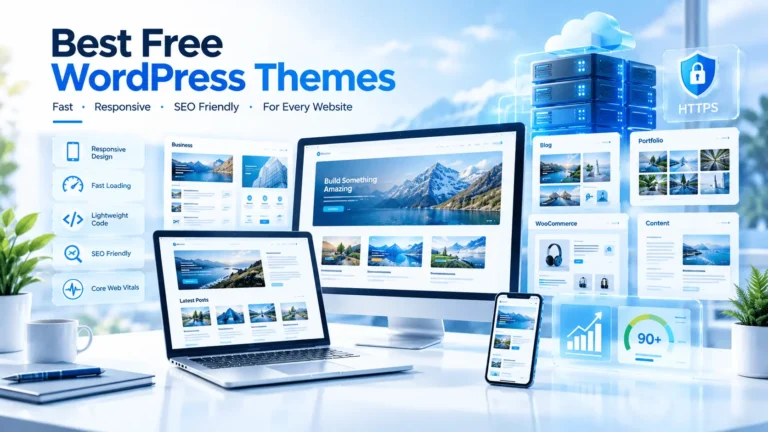

Best WordPress Themes for SEO can improve speed, usability and search visibility. Discover 7 lightweight themes and learn which one fits your site.
Choosing the right WordPress theme can make a major difference to website speed, mobile usability, technical SEO, and the overall user experience. In this guide, we compare the best WordPress themes for SEO, including Astra, GeneratePress, Kadence, Blocksy, Neve, and other strong options. You will also learn how hosting, plugins, images, Core Web Vitals, and website structure work together to create a faster, more search-friendly WordPress website.
The reader wants to discover which WordPress themes are best suited to SEO and compare their speed, flexibility, usability, compatibility, and features before choosing a theme.
The reader also wants to understand what makes a WordPress theme SEO-friendly and how to optimize a theme after installation.
The best WordPress themes for SEO are lightweight, responsive, well-coded, fast-loading, and compatible with modern SEO plugins. Popular choices include Astra, GeneratePress, Kadence, Blocksy, Neve, OceanWP, and Hello Elementor. However, a theme alone cannot guarantee rankings. Hosting, content quality, technical SEO, Core Web Vitals, internal linking, security, and mobile performance also matter.
Table of Contents
ToggleIntroduction
Choosing a WordPress theme is often treated as a design decision.
It should not be.
Your theme controls a large part of how your website presents its content, loads CSS and JavaScript, structures page elements, handles responsive layouts, and interacts with plugins and page builders. That means the theme you choose can influence the foundation on which your SEO strategy operates.
This is why finding the Best WordPress Themes for SEO is about much more than finding a beautiful homepage.
A theme can look impressive in a demo but become slow after you add large images, animations, sliders, third-party scripts, page-builder widgets, advertising code, and multiple plugins.
On the other hand, a lightweight theme with sensible defaults can give you a much cleaner starting point.
But there is an important distinction:
An SEO-friendly theme does not automatically make a website rank.
Google’s documentation emphasizes helpful, reliable, people-first content, crawlability, mobile usability, security, and overall page experience. Google’s Core Web Vitals guidance also recommends paying attention to loading performance, responsiveness, and visual stability.
So, in this QYUSE guide, we are not simply listing themes.
We are looking at the bigger picture.
You will learn:
- Which themes are lightweight
- Which themes work well with Elementor
- Which themes are suitable for blogs
- Which themes work well for businesses
- Which themes are suitable for WooCommerce
- Which themes give developers more control
- How themes affect Core Web Vitals
- How hosting affects theme performance
- Which hosting options fit different users
- What mistakes can destroy the performance of an otherwise excellent theme
By the end, you should be able to choose a theme based on your actual website requirements instead of simply choosing the theme with the most attractive demo.
What Makes a WordPress Theme SEO-Friendly?
An SEO-friendly WordPress theme should help your website deliver content efficiently to users and search engines.
It does not need to contain every possible feature.
In fact, the opposite is often true.
A theme with hundreds of built-in features may create additional CSS, JavaScript, requests, scripts, settings, and visual components that your website does not actually need.
The ideal theme gives you a strong foundation without forcing unnecessary functionality onto every page.
The most important characteristics include:
Lightweight code
A lightweight theme generally requires fewer resources to render.
This can make performance optimization easier.
Responsive design
Your website should work properly across:
- Smartphones
- Tablets
- Laptops
- Desktop computers
- Different screen sizes
Clean HTML structure
Headings, navigation, content areas, links, images, and other elements should have sensible markup.
Good accessibility
Accessible websites are easier for more people to use and often benefit from cleaner structural practices.
Plugin compatibility
Your theme should work reliably with your SEO plugin, caching plugin, security tools, analytics, forms, WooCommerce, and other essential software.
Performance controls
Good themes increasingly provide controls for performance-related features, scripts, icons, fonts, and other resources.
Schema compatibility
Structured data can help search engines understand certain types of content. However, your theme should not create duplicate or conflicting schema when an SEO plugin already handles it.
For example, Kadence’s documentation specifically notes that its theme can output structured data and recommends avoiding duplicate schema when another tool already handles it.
Good update history
An SEO-friendly theme should be actively maintained.
An outdated theme can become a security, compatibility, and performance problem.
Does Your WordPress Theme Really Affect SEO?
Yes—but not in the simplistic way many marketing articles suggest.
There is no magic “SEO theme” that automatically gives you higher Google rankings.
Instead, a theme can influence several technical and user-experience factors.
For example:
Theme → HTML/CSS/JS → Page rendering → Performance → User experience
That relationship matters.
Google’s documentation recommends providing a good page experience and specifically highlights Core Web Vitals, secure pages, mobile usability, and avoiding intrusive experiences.
Google also makes an important point: having excellent Core Web Vitals does not guarantee top rankings.
That distinction is extremely important.
A fast website with poor content can still lose to a slower website that better satisfies the searcher’s needs.
Therefore, think of your theme as the technical foundation, not the complete SEO strategy.
Best WordPress Themes for SEO at a Glance
| Theme | Best For | Performance Potential | Elementor | WooCommerce | Ease of Use |
|---|---|---|---|---|---|
| Astra | Beginners & businesses | Excellent | Excellent | Excellent | Excellent |
| GeneratePress | Speed-focused sites | Excellent | Excellent | Excellent | Very Good |
| Kadence | Blogs & businesses | Excellent | Very Good | Excellent | Excellent |
| Blocksy | Modern websites | Excellent | Very Good | Excellent | Excellent |
| Neve | Beginners & small businesses | Excellent | Excellent | Excellent | Excellent |
| OceanWP | Feature-rich sites | Very Good | Excellent | Excellent | Very Good |
| Hello Elementor | Elementor-focused sites | Excellent foundation | Excellent | Very Good | Very Good |
There is no single winner for everyone.
For a content-heavy blog, GeneratePress can be an excellent choice.
For an Elementor-based website, Astra, Blocksy, or Hello Elementor may be more convenient.
For WooCommerce, Kadence, Blocksy, Astra, and OceanWP are particularly attractive because of their ecommerce capabilities.
For a beginner who wants a balance between design flexibility and simplicity, Astra and Kadence are strong candidates.
Astra
Astra is one of the most established choices in the WordPress ecosystem.
Its popularity is not accidental.
The theme focuses on performance, customization, responsive design, page-builder compatibility, and starter templates.
The WordPress.org listing currently describes Astra as a fast and highly customizable theme with compatibility with popular builders including Elementor, and highlights performance, mobile-first design, and schema-related features.
Why Astra is good for SEO
Astra can provide:
- Lightweight foundations
- Responsive layouts
- Elementor compatibility
- WooCommerce integration
- Starter templates
- Custom typography
- Header and footer controls
- Schema-related functionality
- Performance controls
The biggest advantage is flexibility.
A beginner can start with a template and gradually customize it.
A developer can also strip the design down and build something much more controlled.
Pros
- Beginner-friendly
- Strong Elementor compatibility
- Large template ecosystem
- WooCommerce-friendly
- Flexible customization
- Strong performance potential
Cons
- Too many options can overwhelm beginners
- Heavy page-builder designs can still become slow
- Premium features require additional investment
Best for
Small businesses, bloggers, agencies, WooCommerce stores, and Elementor users.
GeneratePress
GeneratePress has earned a strong reputation among performance-focused WordPress users.
Its philosophy is simple:
Start with a lightweight foundation and add only what you need.
The WordPress.org listing describes GeneratePress as a lightweight theme focused on speed and usability and states that a fresh installation adds less than 10 KB of gzipped page size. It is also compatible with major page builders including Elementor and WooCommerce.
That makes GeneratePress particularly interesting for SEO-focused websites.
Why GeneratePress is excellent for SEO
The less unnecessary functionality you load, the easier it can be to control performance.
GeneratePress is especially appealing for:
- Affiliate websites
- Blogs
- Content publishers
- Business websites
- Developers
- SEO professionals
It also works well with the WordPress block editor.
Pros
- Extremely lightweight foundation
- Excellent performance potential
- Strong coding standards
- Elementor compatible
- WooCommerce compatible
- Developer-friendly
Cons
- Less visually elaborate out of the box
- Some advanced customization requires premium features
- Beginners may need more setup time
Best for
SEO professionals, bloggers, affiliate marketers, developers, and performance-focused websites.
Kadence
Kadence is another strong option for people who want performance without sacrificing visual flexibility.
The current WordPress.org listing describes Kadence as lightweight, fast-loading, accessible, and suitable for business websites, ecommerce sites, courses, and other website types.
Kadence also provides performance settings and built-in structured-data functionality.
Its documentation notes that the theme can automatically add structured data and warns against enabling duplicate schema when another plugin already manages it.
Why Kadence works well for SEO
Kadence offers a useful middle ground.
You get:
- Lightweight architecture
- Header/footer builder
- Global typography
- Global colors
- Responsive design
- WooCommerce integration
- Starter templates
- Performance controls
- Accessibility features
That makes it suitable for people who want more design freedom than a minimalist theme while still caring about performance.
Pros
- Excellent balance of design and performance
- Strong WooCommerce support
- Good customization system
- Useful performance controls
- Accessible design approach
Cons
- More settings can mean a learning curve
- Poorly optimized page-builder layouts can still become heavy
Best for
Businesses, bloggers, ecommerce sites, agencies, and content publishers.
Blocksy
Blocksy is especially interesting if you want a modern visual design system without abandoning performance.
The current WordPress.org listing describes Blocksy as a fast, modern theme with advanced WooCommerce support and compatibility with the block editor.
Blocksy is also a practical choice for users who like Elementor-style visual design workflows.
Why Blocksy deserves attention
Blocksy gives you considerable control over:
- Headers
- Footers
- Colors
- Typography
- Layouts
- Blog structures
- Ecommerce elements
- Responsive settings
For a modern content website, it can provide a polished appearance without requiring an enormous multipurpose theme.
Pros
- Modern interface
- Strong customization
- Excellent WooCommerce support
- Good performance potential
- Responsive controls
- Good visual design options
Cons
- Advanced settings require learning
- Too many visual elements can still increase page weight
- Some advanced features are premium
Best for
Modern blogs, ecommerce websites, agencies, business websites, and Elementor users.
Neve
Neve is designed around speed, responsiveness, and compatibility.
The current WordPress.org listing positions Neve as an ultra-fast theme designed for performance, SEO, and Core Web Vitals, while also supporting popular page builders and WooCommerce.
That makes Neve particularly useful for:
- Beginners
- Small businesses
- Bloggers
- Freelancers
- Local businesses
- Ecommerce websites
Pros
- Lightweight
- Fast-loading design
- Good builder compatibility
- WooCommerce support
- Responsive
- Beginner-friendly
Cons
- Some advanced options are premium
- Large starter templates still need optimization
Best for
Beginners, small businesses, blogs, and lightweight commercial websites.
OceanWP
OceanWP remains a flexible option for WordPress users who want extensive design controls.
It has historically been popular with:
- Elementor users
- WooCommerce stores
- Agencies
- Business websites
- Content publishers
The main attraction is flexibility.
However, flexibility needs discipline.
If you enable every available feature, add multiple widgets, load large images, and use several third-party plugins, your website can become considerably heavier.
So OceanWP can be SEO-friendly, but the final performance depends heavily on configuration.
Hello Elementor
Hello Elementor is different from the other themes on this list.
Its purpose is to provide a minimal foundation for Elementor.
If you plan to construct most of your site’s visual design using Elementor, Hello Elementor can be attractive because it intentionally avoids many of the design features found in traditional multipurpose themes.
The trade-off is that you become more dependent on your page builder.
That means your performance depends heavily on:
- Elementor widgets
- CSS
- JavaScript
- Fonts
- Images
- Third-party addons
- Animations
- Hosting
For a simple Elementor website, this can work extremely well.
For a complex website containing dozens of dynamic elements, careful optimization becomes essential.
How We Evaluated the Best WordPress Themes for SEO
A theme should not be judged only by its homepage demo.
A demo can look beautiful while hiding the real performance cost of:
- Fonts
- Images
- JavaScript
- Sliders
- Popups
- Animations
- Third-party plugins
- Page-builder widgets
For this comparison, the most important criteria are:
1. Performance potential
Can the theme produce a lightweight website when configured responsibly?
2. Mobile usability
Does the theme provide responsive layouts and controls?
3. Code quality
Is the theme built around sensible WordPress development practices?
4. Customization
Can you control the design without installing a collection of additional plugins?
5. Plugin compatibility
Does it work with popular SEO, caching, security, analytics, and ecommerce tools?
6. Page-builder compatibility
This is particularly important for Elementor users.
7. WooCommerce support
Online stores need more than a pretty homepage.
8. Maintenance
A theme should continue receiving updates and compatibility improvements.
What to Look for Before Choosing an SEO Theme
Before installing any theme, ask seven questions.
Is it lightweight?
A lightweight theme gives you more room for content, images, plugins, and functionality.
Does it load unnecessary scripts?
Every additional resource has a potential performance cost.
Is it responsive?
Test the navigation, headings, buttons, images, tables, and forms on mobile.
Can you control typography?
Typography affects readability and visual stability.
Does it support structured content?
Good heading hierarchy and semantic HTML are more useful than decorative effects.
Does it work with your SEO plugin?
Your theme should cooperate with your SEO system instead of creating duplicate functionality.
Is it actively maintained?
An abandoned theme is not a good long-term foundation.
Theme Speed and Core Web Vitals
Performance is one of the biggest reasons people search for the Best WordPress Themes for SEO.
Google currently identifies three Core Web Vitals:
- LCP
- INP
- CLS
The recommended “good” thresholds are:
| Metric | What It Measures | Good Target |
|---|---|---|
| LCP | Loading performance | ≤ 2.5 seconds |
| INP | Responsiveness | ≤ 200 ms |
| CLS | Visual stability | ≤ 0.1 |
These thresholds are based on real-world user experience data and are evaluated at the 75th percentile.
Largest Contentful Paint
LCP measures how quickly the main visible content appears.
A huge hero image can hurt LCP.
So can:
- Slow hosting
- Render-blocking CSS
- Excessive JavaScript
- Poor caching
- Slow fonts
- Third-party scripts
Interaction to Next Paint
INP measures how responsive a website feels when users interact with it.
Heavy JavaScript can make buttons, menus, filters, and forms feel slow.
Cumulative Layout Shift
CLS measures unexpected movement during page loading.
This often happens when:
- Images lack dimensions
- Ads change layout
- Fonts swap unexpectedly
- Content loads dynamically
- Banners push content downward
An SEO-friendly theme should help you build stable layouts.
Mobile SEO and Responsive Design
Mobile usability is no longer optional.
Most websites receive a significant portion of their traffic from mobile devices.
Google’s guidance specifically recommends that websites be secure, fast, accessible, and work across devices.
Your theme should therefore make mobile optimization easy.
Check:
- Mobile menu
- Font size
- Line height
- Button spacing
- Image sizing
- Tables
- Forms
- Popups
- Navigation
- Footer
- Sticky elements
A beautiful desktop design is worthless if users struggle to navigate it on a phone.
Schema and Structured Data
Structured data helps search engines understand specific types of content.
However, schema should be implemented carefully.
More schema is not automatically better.
For example, if your SEO plugin outputs Article schema and your theme independently outputs another conflicting version, you may create unnecessary duplication.
The correct approach is to decide which system owns your structured data.
Your theme should support your SEO architecture—not compete with it.
Google’s Search Essentials also recommends using structured data where appropriate and following the specific guidelines for supported search features.
Clean Code and HTML Structure
Good SEO is not just about keywords.
Search engines need to understand your page.
A well-structured page generally includes:
- One clear primary heading
- Logical H2 sections
- H3 subsections
- Descriptive links
- Useful image alt text
- Main content presented clearly
- Crawlable navigation
- Descriptive page titles
- Logical URLs
WordPress itself provides many SEO-friendly foundations, including permalinks, sitemaps, and other mechanisms that help search engines discover and understand content.
The theme should complement those capabilities.
Theme Builders and SEO
Page builders are not inherently bad for SEO.
The problem is excessive complexity.
A page builder can help you create:
- Better layouts
- Conversion-focused sections
- Comparison tables
- Call-to-action areas
- Custom landing pages
- Responsive designs
But every widget can potentially add markup, CSS, or JavaScript.
Therefore:
Use a page builder when it solves a real design problem.
Do not add ten animated sections because the template offers them.
Elementor and SEO
Elementor is popular because it gives users visual control.
For many WordPress users, the combination of a lightweight theme and Elementor is an excellent workflow.
However, keep these principles in mind:
Use fewer widgets
If a standard heading works, you do not need a complicated animated heading.
Avoid unnecessary animations
Animations can increase CPU and JavaScript work.
Optimize images
Do not upload a 4 MB image when a properly compressed WebP or AVIF image would be sufficient.
Limit custom fonts
Every font family and weight can add requests.
Keep the DOM reasonable
A simple page is usually easier to optimize than a page containing dozens of nested containers.
Test mobile separately
Desktop performance does not guarantee mobile performance.
Free vs Premium WordPress Themes
Free does not automatically mean bad.
Premium does not automatically mean better.
The real question is:
Does the theme provide the functionality your website needs without unnecessary overhead?
Free themes
Advantages:
- Lower initial cost
- Easy to test
- Good for beginners
- Often available through WordPress.org
Disadvantages:
- Fewer premium features
- Limited support in some cases
- Advanced customization may require extra plugins
Premium themes
Advantages:
- More customization
- Premium support
- Additional templates
- Advanced features
Disadvantages:
- Additional cost
- More features can mean more complexity
- Some users may enable features they never need
For SEO, the lightest suitable configuration usually matters more than whether the theme is free or premium.
Common WordPress Theme SEO Mistakes
Even the Best WordPress Themes for SEO can perform badly when configured incorrectly.
Here are the mistakes I see most often.
Mistake 1: Choosing a theme only because it looks beautiful
A beautiful demo is not a performance report.
Mistake 2: Installing too many plugins
Plugins add functionality, but unnecessary plugins add complexity.
Mistake 3: Using oversized images
Image optimization should be part of every WordPress workflow.
Mistake 4: Loading too many fonts
Two font families with several weights can quickly become unnecessary overhead.
Mistake 5: Using excessive animations
Motion can improve design, but too much motion can hurt performance and usability.
Mistake 6: Ignoring mobile
Always test mobile separately.
Mistake 7: Using cheap hosting with poor performance
A lightweight theme cannot completely compensate for a slow server.
Mistake 8: Installing multiple SEO systems
Avoid overlapping SEO, schema, sitemap, and optimization features unless you know exactly why they are needed.
Mistake 9: Ignoring updates
Keep WordPress, themes, plugins, PHP, and security components updated.
Mistake 10: Obsessing over a perfect PageSpeed score
A perfect laboratory score is not the same thing as a great website.
Google explicitly says that strong Core Web Vitals do not guarantee top rankings.
How Hosting Affects Theme Performance
This is where many WordPress users make a major mistake.
They spend hours choosing an SEO-friendly theme and then host it on a weak server.
Your website’s performance is a combination of several layers:
Hosting + WordPress + Theme + Plugins + Images + Cache + CDN + Content
A lightweight theme on slow hosting may still feel slow.
A well-optimized theme on quality hosting has a much better chance of delivering a responsive experience.
For example, current hosting providers offer different combinations of SSD/NVMe storage, caching, CDN support, SSL, backups, support, and WordPress optimization.
Hosting Comparison for SEO-Focused WordPress Websites
Pricing changes frequently, so treat the following as a practical comparison rather than a permanent price list.
| Hosting | Starting Price* | Performance | Storage | Free Domain | SSL | Support | Best For | QYUSE Rating |
|---|---|---|---|---|---|---|---|---|
| Namecheap | From about $2.28/mo after trial | Good | 20GB SSD on entry plan | Available on selected offers | Yes | 24/7 | Budget sites | 4.3/5 |
| Hostinger | From about $2.99/mo | Very Good | 20GB SSD on displayed Premium plan | 1 year | Yes | 24/7 | Beginners & small businesses | 4.6/5 |
| Bluehost | From about $3.99/mo | Very Good | 10GB NVMe on entry WP plan | 1 year | Yes | 24/7 chat | WordPress beginners | 4.6/5 |
| WebHostingHub | Availability varies | — | — | — | — | — | Legacy/availability-dependent | 2.8/5 |
| InMotion Hosting | From about $4.99/mo | Very Good | 100GB NVMe on Launch | 1 year on eligible terms | Yes | 24/7 human support | Businesses & growing sites | 4.5/5 |
*Promotional pricing and renewal pricing can differ significantly. Always verify the provider’s current checkout price before purchasing.
Namecheap currently lists its entry shared plan at $2.28/month after a 30-day trial, with 20 GB SSD storage, free automatic SSL installation, and free migration.
Hostinger currently lists its displayed Premium plan at $2.99/month on a 48-month term, with 20 GB SSD storage, a free domain for one year, CDN, weekly backups, and free SSL.
Bluehost currently lists its WordPress Starter plan at $3.99/month on a 36-month term, with 10 GB NVMe storage, a first-year free domain, CDN, managed WordPress updates, and free SSL.
InMotion’s current Launch shared hosting offer starts at $4.99/month and includes 100 GB NVMe storage, free SSL, free domain eligibility, and 24/7 support.
WebHostingHub deserves special caution: its availability and current public offering are not as straightforward to verify as the other providers, so I would not make it a primary recommendation for a new WordPress project.
Best Hosting for Different WordPress Users
Best hosting for beginners
Hostinger
Hostinger is a strong option if you want an affordable entry point with WordPress support, SSL, backups, CDN features, and a beginner-oriented setup.
Recommended for: first websites, blogs, portfolios, small businesses.
QYUSE verdict: Excellent value for beginners.
Best hosting for WordPress-focused users
Bluehost
Bluehost is especially convenient for users who want a hosting package built around WordPress.
Its current WordPress plans include managed updates, CDN, SSL, staging on the listed plan, and WordPress-oriented tools.
Recommended for: beginners, bloggers, small businesses.
QYUSE verdict: Strong all-round WordPress choice.
Best hosting for WooCommerce
Bluehost or InMotion
For an online store, look beyond price.
Consider:
- Server resources
- Object caching
- Backups
- Security
- Staging
- Support
- Database performance
- CDN
InMotion offers higher-resource options as your site grows, while Bluehost offers dedicated WordPress commerce plans.
Best hosting for businesses
InMotion Hosting
InMotion is particularly attractive for businesses that value human support, NVMe storage, migration help, SSL, and scalability.
Its current shared hosting plans advertise 99.99% uptime and 24/7 human support.
Best budget option
Namecheap
Namecheap is worth considering if cost is your primary concern and your website does not require large amounts of server resources.
Its current shared hosting entry plan includes 20 GB SSD storage, SSL, migration, and cPanel-based management.
Best for developers
A developer should look beyond shared hosting price.
Look for:
- SSH
- WP-CLI
- Git
- Staging
- PHP version control
- Server-level caching
- Cron jobs
- Database access
- Scalable resources
InMotion and higher-tier Bluehost plans can be interesting depending on the project’s requirements.
Real-World Use Cases
The “best” theme depends heavily on what you are building.
Use Case 1: SEO Blog
Suppose you are creating a content-heavy blog with:
- 100+ articles
- Affiliate links
- Comparison tables
- Featured images
- Author boxes
- Internal links
- Newsletter forms
In this situation, performance and readability matter more than visual complexity.
Best choices
GeneratePress, Astra, Kadence, or Blocksy
A lightweight configuration is more important than flashy animations.
Use Case 2: Affiliate Website
Affiliate websites often contain:
- Product tables
- Buttons
- Images
- Comparison charts
- Reviews
- FAQs
- Multiple outbound links
For this type of site, I would prioritize:
- Fast theme
- Clean typography
- Easy table layouts
- Strong mobile design
- Reliable hosting
- Good internal linking
- Schema compatibility
Recommended
GeneratePress or Blocksy
Astra is also an excellent choice if you prefer Elementor.
Use Case 3: Small Business Website
A local business website needs:
- Services
- About page
- Contact information
- Location
- Testimonials
- Call-to-action buttons
- Fast mobile navigation
Recommended
Astra, Kadence, or Neve
You don’t need an enormous multipurpose theme.
A lightweight professional layout is usually enough.
Use Case 4: WooCommerce Store
An ecommerce site needs more than blog performance.
You should evaluate:
- Product archive speed
- Product page speed
- Cart performance
- Checkout experience
- Filtering
- Search
- Mobile usability
- Payment integrations
- Security
Recommended
Astra, Kadence, Blocksy, or OceanWP
Blocksy and Kadence are particularly appealing for modern WooCommerce builds.
Use Case 5: Elementor Website
If Elementor is central to your workflow, choose a theme that works naturally with it.
Recommended
Astra, GeneratePress, Blocksy, Neve, or Hello Elementor
The best option depends on whether you want theme-level design controls or want Elementor to handle almost everything.
Expert Tips for Better WordPress SEO
Choosing one of the Best WordPress Themes for SEO is only step one.
Follow these practical recommendations.
Tip 1: Use a lightweight theme
Start simple.
You can always add functionality later.
Removing unnecessary functionality is often harder.
Tip 2: Choose quality hosting
Do not judge hosting solely by its first-year promotional price.
Check:
- Renewal price
- Server resources
- Storage
- Backups
- CDN
- Support
- Data center options
- WordPress tools
Tip 3: Optimize every image
Before uploading an image:
- Resize it
- Compress it
- Use WebP or AVIF where appropriate
- Give it meaningful alt text
- Avoid unnecessary dimensions
Tip 4: Limit third-party scripts
Analytics, chat widgets, advertising scripts, social embeds, heatmaps, and other tools can affect performance.
Install only what you actually use.
Tip 5: Use caching
Caching can reduce repeated processing and improve perceived performance.
Tip 6: Use a CDN
A CDN can help deliver static assets closer to users geographically.
Tip 7: Keep your theme updated
Updates can contain:
- Security fixes
- Compatibility improvements
- Performance improvements
- Bug fixes
Tip 8: Don’t install two tools that perform the same job
For example, avoid having multiple plugins trying to generate the same schema, sitemap, optimization rules, or redirects.
Tip 9: Use descriptive alt text
Don’t write:
image123.jpg
Instead, describe the actual image when the description provides useful context.
For the featured image in this article, an appropriate alt text would be:
“Best WordPress Themes for SEO comparison showing lightweight WordPress website designs and performance elements”
Tip 10: Measure real performance
Use:
- Google Search Console
- PageSpeed Insights
- Chrome DevTools
- Lighthouse
- Real-user performance data
Google and web.dev recommend using Core Web Vitals to understand real-world loading, responsiveness, and visual stability.
26. How to Build an SEO-Friendly WordPress Stack
A good WordPress stack could look like this:
Layer 1 — Domain
Choose a short, memorable domain.
Layer 2 — Hosting
Choose hosting appropriate for your expected traffic.
Layer 3 — WordPress
Keep WordPress updated.
Layer 4 — Theme
Choose a lightweight theme.
Layer 5 — SEO plugin
Use one primary SEO system.
Layer 6 — Performance
Configure:
- Page caching
- Browser caching
- Image optimization
- CDN
- CSS/JS optimization where appropriate
Layer 7 — Security
Use:
- HTTPS
- Strong passwords
- 2FA
- Regular backups
- Security monitoring
Layer 8 — Content
Publish genuinely useful information.
This is the layer that ultimately gives your site a reason to rank.
Videos and Useful Resources
A video can be useful when explaining:
- Theme installation
- Elementor setup
- PageSpeed testing
- Core Web Vitals
- WordPress SEO configuration
- Image optimization
For a QYUSE version of this article, consider embedding a short video titled:
“How to Choose the Best WordPress Theme for SEO”
Suggested video structure:
- What makes a theme SEO-friendly?
- Theme speed demonstration
- Mobile test
- Astra vs GeneratePress
- Kadence vs Blocksy
- Elementor considerations
- Hosting impact
- Final recommendation
Avoid embedding several unrelated videos on the same page.
Pros and Cons: What Really Matters?
Lightweight theme
Pros
- Better performance potential
- Easier optimization
- Less unnecessary code
- Easier maintenance
Cons
- May require more customization
- Fewer built-in design features
Feature-rich theme
Pros
- Faster initial design
- More templates
- More built-in controls
Cons
- More complexity
- Potentially more scripts
- More settings
- Greater risk of unnecessary functionality
My recommendation
For SEO-focused websites, I generally prefer a lightweight foundation plus carefully selected functionality.
That approach gives you more control.
My Overall Theme Ranking
Here is a practical QYUSE ranking based on balance rather than one synthetic speed score.
| Rank | Theme | Best Use |
|---|---|---|
| 1 | GeneratePress | Performance-focused blogs and SEO sites |
| 2 | Astra | Beginners, Elementor, business |
| 3 | Kadence | Blogs, business, WooCommerce |
| 4 | Blocksy | Modern websites and ecommerce |
| 5 | Neve | Beginners and small businesses |
| 6 | Hello Elementor | Elementor-first websites |
| 7 | OceanWP | Feature-rich WordPress sites |
This is not a universal ranking.
For example, if your priority is Elementor flexibility, Astra may be a better choice for you than GeneratePress.
If your priority is minimalist performance, GeneratePress may be the better starting point.
If your priority is ecommerce design, Kadence or Blocksy may be more attractive.
QYUSE Recommendation: Which One Should You Choose?
If you asked me to simplify the entire article into five decisions:
Choose GeneratePress if:
You prioritize performance, simplicity, content, and developer control.
Choose Astra if:
You want a beginner-friendly combination of design, Elementor compatibility, and flexibility.
Choose Kadence if:
You want a strong balance between performance, design, accessibility, and WooCommerce.
Choose Blocksy if:
You want a modern visual website with strong customization and ecommerce capabilities.
Choose Neve if:
You want a straightforward, lightweight theme for a blog or small business.
A Special Recommendation for QYUSE-Style Websites
For an affiliate and content-driven website like QYUSE, I would not automatically switch themes simply because another theme claims to be “faster.”
A website such as QYUSE needs:
- Long-form articles
- Comparison tables
- Affiliate CTAs
- Featured images
- Internal links
- SEO plugins
- Elementor-compatible layouts
- Mobile-friendly content
- Fast hosting
- Security
- Good typography
A theme such as Blocksy + Elementor, when configured carefully, can be a very practical combination.
The important part is controlling what you add to the page.
A lightweight theme can become slow if every page contains:
- Multiple sliders
- Animated counters
- Video backgrounds
- Large hero images
- Five font families
- Multiple tracking scripts
- Several popup plugins
- Unused Elementor widgets
Therefore, don’t chase a theme score.
Build a lean website.
Common Mistakes When Comparing WordPress Themes
Avoid these misleading comparison methods.
Mistake: “Theme X is the fastest.”
Fastest under what conditions?
A fair test should specify:
- Hosting
- PHP version
- WordPress version
- Plugins
- Page content
- Images
- Cache
- CDN
- Test location
- Mobile or desktop
Without that information, “fastest” is often meaningless.
Mistake: Looking only at the homepage
Your blog post template may perform differently from your homepage.
Test:
- Homepage
- Blog post
- Category page
- Product page
- Contact page
Mistake: Ignoring real content
A demo with three tiny images is not representative of a real affiliate site with 4,000-word articles and comparison tables.
Frequently Asked Questions
1. What are the Best WordPress Themes for SEO?
Some of the strongest options include GeneratePress, Astra, Kadence, Blocksy, Neve, OceanWP, and Hello Elementor. The right choice depends on your website type, page builder, WooCommerce requirements, and performance goals.
2. Is GeneratePress better than Astra for SEO?
Not necessarily. GeneratePress has an especially lightweight foundation, while Astra offers extensive customization and strong page-builder compatibility. Both can be excellent SEO foundations when properly configured.
3. Is Astra good for SEO?
Yes. Astra is a strong option for SEO-focused WordPress websites because it offers responsive design, performance-oriented features, page-builder compatibility, and broad customization options.
4. Is Blocksy good for SEO?
Yes. Blocksy is a strong option for users who want modern design flexibility while maintaining a performance-conscious WordPress foundation.
5. Is Kadence good for SEO?
Yes. Kadence provides a lightweight foundation, responsive design, customization controls, accessibility features, and performance settings. It can work particularly well for blogs, businesses, and WooCommerce sites.
6. Does a WordPress theme improve Google rankings?
A theme cannot guarantee higher rankings. It can contribute to better performance, mobile usability, accessibility, and technical foundations, but rankings depend on many factors including content quality, relevance, links, technical SEO, and user experience.
7. Is Elementor bad for SEO?
No. Elementor itself does not automatically make a website incapable of ranking. However, excessive widgets, animations, large DOM structures, third-party addons, and poorly optimized assets can hurt performance.
8. What is the fastest WordPress theme?
There is no universal fastest theme. GeneratePress, Astra, Kadence, Blocksy, Neve, and other lightweight themes can all perform extremely well when properly configured.
9. Does hosting affect WordPress SEO?
Hosting can affect performance and user experience, which are important parts of a successful search strategy. Server response time, caching, resources, uptime, and geographic infrastructure can all influence how efficiently a site operates.
10. Should I change my WordPress theme for SEO?
Not automatically. If your current theme is well maintained, responsive, lightweight, compatible with your plugins, and capable of delivering good performance, changing themes purely for SEO may create unnecessary work. Optimize the existing site first and measure the results.
Quick SEO Theme Checklist
Before launching your WordPress website, check:
Theme is actively maintained
Responsive design works properly
Mobile menu works
Heading structure is logical
Images are optimized
Fonts are limited
Unused widgets are disabled
Unnecessary animations are removed
SEO plugin is configured
Schema is not duplicated
HTTPS is enabled
Caching is configured
CDN is considered
Core Web Vitals are monitored
Internal links are added
XML sitemap is available
Search Console is connected
Content is genuinely useful
Affiliate links are clearly disclosed
Website is tested on mobile
Final Takeaway
The best WordPress theme for SEO is not necessarily the theme with the most features.
It is the theme that gives your specific website a clean, fast, responsive, maintainable foundation.
For pure performance and content-focused publishing, GeneratePress is an excellent choice.
For beginners and Elementor users, Astra is extremely practical.
For a balanced business or WooCommerce website, Kadence is compelling.
For modern ecommerce and visually rich websites, Blocksy is worth serious consideration.
For simpler websites, Neve is a strong option.
And if you are already using a well-optimized Blocksy + Elementor setup, there is no reason to change simply because another theme appears higher on an arbitrary “fastest theme” list.
Your theme is only one part of the equation.
Content + technical SEO + hosting + performance + usability + internal linking + security + consistent optimization = a much stronger WordPress SEO strategy.
Related Articles of Best WordPress Themes for SEO
Recommended sources:
- WordPress.org — WordPress SEO documentation
- Google Search Central — SEO Starter Guide and Search Essentials
- Google Developers — Core Web Vitals and page experience
- web.dev — Web Vitals and performance guidance
- Let’s Encrypt — SSL/TLS information
Best WordPress Themes for SEO: How to Choose the Right Theme
Affiliate Disclosure: Some links in this article may be affiliate links. If you purchase through one of these links, QYUSE may earn a commission at no additional cost to you. Our recommendations are based on relevance, features, value, and suitability—not simply affiliate compensation.
Final QYUSE Recommendation
If you are starting a new WordPress website today, don’t spend weeks searching for a mythical “perfect SEO theme.”
Choose a lightweight, well-maintained theme that fits your workflow.
For maximum performance focus, start with GeneratePress.
For beginners and Elementor users, consider Astra.
For a balanced business or WooCommerce website, Kadence is a strong option.
For modern ecommerce and visual flexibility, Blocksy is an excellent choice.
For a lightweight beginner website, Neve is worth considering.
And remember:
Your WordPress theme is the foundation—not the entire SEO strategy.
The strongest results come from combining a clean theme with quality hosting, optimized images, excellent content, technical SEO, internal links, HTTPS, good mobile usability, sensible plugins, and continuous performance monitoring.
If you are building a new WordPress website, start with the foundation, keep the design lean, publish genuinely useful content, and optimize based on real user data.
That is a much more sustainable approach than constantly switching themes in search of a higher SEO score.
Necessary research
I have provided the links to the necessary research here so that you can easily find them.:
- 👉 Get Bluehost — QYUSE Bluehost offer
- 👉 Start with Hostinger — QYUSE Hostinger offer
- 👉 Get Your Domain with Namecheap — QYUSE Namecheap offer
- 👉 Try InMotion Hosting — QYUSE InMotion Hosting offer
- 👉 Explore WebHostingHub — QYUSE WebHostingHub offer
- 👉 Explore WordPress Themes — QYUSE ThemeForest offer
- 👉 Buy SSL Certificate — QYUSE SSL offer
Authority resources used for the article
The recommendations above are grounded in current official documentation and provider information, including WordPress’s SEO guidance, Google Search Central’s SEO/Search Essentials and Core Web Vitals documentation, and current provider/theme documentation.
For the theme evaluations, current WordPress.org information confirms the active positioning and features of Astra, GeneratePress, Kadence, Blocksy, and Neve; GeneratePress emphasizes its lightweight foundation, while Astra, Kadence, Blocksy, and Neve emphasize combinations of performance, responsive design, builder compatibility, and/or ecommerce functionality.
One important WordPress implementation note: because QYUSE uses Blocksy + Elementor, I would keep that setup rather than changing themes purely for SEO. The bigger opportunity is optimizing Elementor widgets, images, fonts, third-party scripts, caching, and hosting. That will usually be more productive than repeatedly changing themes.