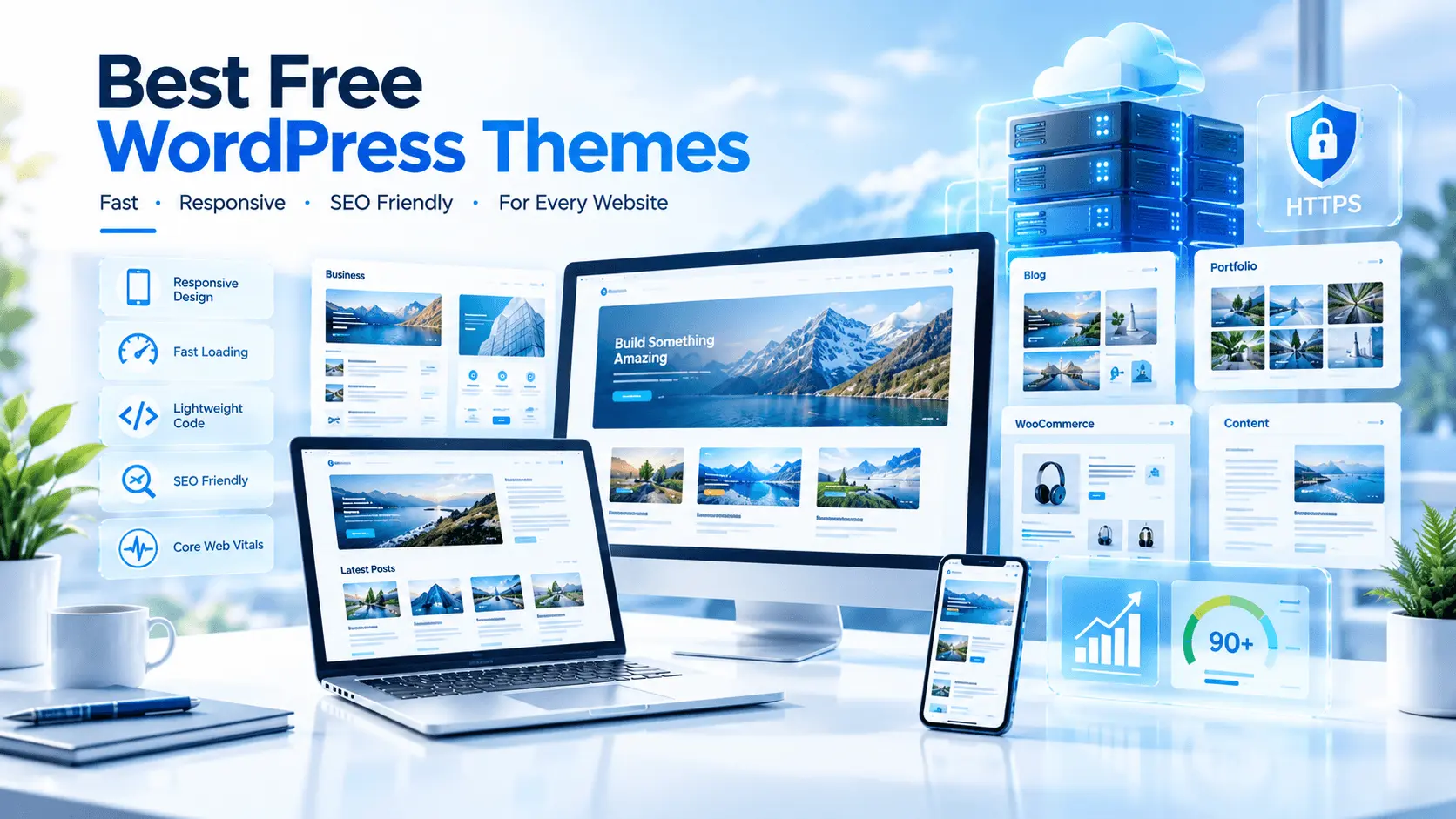

Discover the best free WordPress themes for blogs, business, WooCommerce and SEO. Compare speed, flexibility, features and ease of use before choosing.
Looking for the best free WordPress themes for your website? We compare 11 lightweight, responsive and SEO-friendly options for blogs, businesses, portfolios, WooCommerce stores and professional websites.
The reader is researching free WordPress themes and comparing features before choosing one for a new or existing website.
The reader also wants to understand what makes a WordPress theme fast, SEO-friendly, responsive, secure and suitable for a particular type of website.
The best free WordPress themes combine lightweight code, responsive design, reliable updates, customization options and compatibility with WordPress plugins. Popular choices include Astra, GeneratePress, Kadence, Blocksy, Neve, OceanWP and Hello Elementor. The right theme depends on your website type, design needs, performance goals and preferred page builder.
Table of Contents
ToggleIntroduction
Choosing a WordPress theme can feel surprisingly difficult. There are thousands of free themes available, yet the number of choices does not necessarily make the decision easier.
If you search for the best free WordPress themes, you will find everything from simple blogging themes to sophisticated designs aimed at businesses, online stores, portfolios and agencies.
The challenge is separating genuinely useful free themes from themes that look attractive in a demo but become difficult to customize, slow down your website or stop receiving meaningful updates.
A good WordPress theme should do more than make your website look attractive. It should provide a solid technical foundation, work well on mobile devices, support modern WordPress features and avoid unnecessary code and design elements.
Performance matters, too. Your theme can influence how much work the browser has to do before your page becomes usable. However, the theme is only one part of the equation. Hosting, plugins, images, fonts, caching and third-party scripts can all affect real-world performance.
That is why this guide focuses on the best free WordPress themes from a practical perspective.
We will look at design flexibility, performance, page-builder compatibility, WooCommerce support, blogging features, customization, ease of use and the needs of different types of website owners.
Important: “Free” does not always mean that every feature is free forever. Several themes discussed here have a free version available through WordPress.org while offering optional commercial upgrades.
By the end, you should have a much clearer idea of which theme fits your project—and which features you can safely ignore.
1. What Makes a Good Free WordPress Theme?
Before looking at individual themes, it is useful to establish what actually matters.
The best free WordPress themes are not necessarily the ones with the largest feature lists.
In fact, excessive features can sometimes create unnecessary complexity.
A strong theme should provide a balance between:
- Performance
- Design flexibility
- Mobile responsiveness
- Accessibility
- Compatibility
- Security maintenance
- Customization
- Plugin support
- Ease of use
- Long-term development
Performance
A lightweight theme generally gives your website a better starting point.
GeneratePress, for example, describes its fresh installation as adding less than 10 KB gzipped to the page size, while emphasizing compatibility with the block editor, page builders and WooCommerce.
That does not mean every GeneratePress website will automatically be fast.
Your final performance depends on the entire website stack.
Responsive Design
Your theme should adapt naturally to:
- Desktop computers
- Laptops
- Tablets
- Smartphones
Mobile usability is no longer optional.
Plugin Compatibility
A theme should work reliably with important WordPress plugins.
Depending on your project, you may need:
- WooCommerce
- Elementor
- SEO plugins
- Contact-form plugins
- Security plugins
- Caching plugins
- Backup plugins
- Analytics integrations
Regular Updates
A free theme is only useful if it remains maintained.
Check:
- Last update
- Active installations
- WordPress compatibility
- Support activity
- Developer reputation
WordPress.org currently lists thousands of themes and provides information such as active installations, version, update date and compatibility.
2. Best Free WordPress Themes at a Glance
Here are seven of the most useful options to investigate first.
| Theme | Best For | Performance Focus | Builder Support | WooCommerce |
|---|---|---|---|---|
| Astra | General websites | Excellent | Elementor, Spectra and others | Yes |
| GeneratePress | Performance-focused sites | Excellent | Gutenberg, Elementor and others | Yes |
| Kadence | Blogs/business | Excellent | Gutenberg, Elementor | Yes |
| Blocksy | Modern websites/stores | Excellent | Block editor, Elementor | Excellent |
| Neve | Beginners/business | Excellent | Gutenberg, Elementor, others | Yes |
| OceanWP | Flexible websites | Very good | Elementor and others | Excellent |
| Hello Elementor | Elementor websites | Excellent foundation | Elementor | Yes |
These are not ranked as first-to-last winners. Different projects have different requirements.
3. Astra
Astra is one of the most established free WordPress themes and is available directly through WordPress.org.
The current WordPress.org listing describes Astra as lightweight, customizable and suitable for professional websites, small businesses, eCommerce sites and other projects. It also highlights compatibility with page builders such as Elementor and Spectra.
Why Astra Is Popular
Astra gives beginners a relatively easy way to start with a professionally structured website.
Its ecosystem is particularly useful when you want:
- Starter designs
- Page-builder compatibility
- WooCommerce integration
- Header customization
- Footer customization
- Flexible layouts
- Lightweight foundations
Pros
- Large ecosystem
- Beginner-friendly
- Good page-builder compatibility
- Suitable for business websites
- WooCommerce support
- Strong customization options
Cons
- Some advanced features require the premium version
- Large customization ecosystems can feel overwhelming
- Starter templates may encourage unnecessary design elements if used without optimization
Best For
Astra is worth considering for:
- Business websites
- Blogs
- Affiliate websites
- Freelancers
- Agencies
- Online stores
3. Astra
Astra is one of the most established free WordPress themes and is available directly through WordPress.org.
The current WordPress.org listing describes Astra as lightweight, customizable and suitable for professional websites, small businesses, eCommerce sites and other projects. It also highlights compatibility with page builders such as Elementor and Spectra.
Why Astra Is Popular
Astra gives beginners a relatively easy way to start with a professionally structured website.
Its ecosystem is particularly useful when you want:
- Starter designs
- Page-builder compatibility
- WooCommerce integration
- Header customization
- Footer customization
- Flexible layouts
- Lightweight foundations
Pros
- Large ecosystem
- Beginner-friendly
- Good page-builder compatibility
- Suitable for business websites
- WooCommerce support
- Strong customization options
Cons
- Some advanced features require the premium version
- Large customization ecosystems can feel overwhelming
- Starter templates may encourage unnecessary design elements if used without optimization
Best For
Astra is worth considering for:
- Business websites
- Blogs
- Affiliate websites
- Freelancers
- Agencies
- Online stores
4. GeneratePress
GeneratePress takes a performance-first approach.
Its WordPress.org listing emphasizes lightweight construction, usability, Gutenberg support, page-builder compatibility and WooCommerce compatibility.
This makes GeneratePress particularly interesting for website owners who care about keeping their design system lean.
Why Choose GeneratePress?
GeneratePress is especially suitable when you want to build a website around:
- Gutenberg
- Clean layouts
- Performance
- Custom CSS
- Page builders
- Long-term maintainability
Pros
- Very lightweight
- Performance-oriented
- Developer-friendly
- Good plugin compatibility
- WooCommerce compatible
- Works with major page builders
Cons
- Some users may find the free version less visually complete
- Advanced customization is more attractive in the premium ecosystem
- Beginners may need more time to understand the design system
Best For
GeneratePress works particularly well for:
- Bloggers
- Developers
- Affiliate websites
- Content publishers
- Performance-focused websites
5. Kadence
Kadence is another strong option for users who want a combination of performance and visual flexibility.
It is especially attractive for websites that use Gutenberg while still wanting compatibility with popular page-building workflows.
Why Consider Kadence?
A modern WordPress website often needs more than a beautiful homepage.
You may need:
- Flexible headers
- Custom navigation
- Typography controls
- Global colors
- Blog layouts
- WooCommerce support
- Responsive controls
Kadence is designed around this type of workflow.
Pros
- Modern interface
- Strong customization
- Good typography controls
- Suitable for blogs and business websites
- WooCommerce support
- Gutenberg-friendly
Cons
- Advanced features may require upgrades
- Many settings can be overwhelming initially
Best For
Kadence is a strong candidate for:
- Blogs
- Business websites
- Content publishers
- Affiliate sites
- WooCommerce stores
6. Blocksy
Blocksy is particularly interesting if you want a modern visual experience without starting with a heavyweight theme.
The current WordPress.org listing describes Blocksy as a fast, modern theme with advanced WooCommerce support and full compatibility with the block editor.
Blocksy is also actively maintained, with WordPress.org currently showing a recent update and hundreds of thousands of active installations.
Why Blocksy Stands Out
Its feature set is particularly useful for:
- Modern blogs
- Business websites
- WooCommerce stores
- Content websites
- Creative projects
Pros
- Modern design
- Strong WooCommerce features
- Good block-editor integration
- Flexible customization
- Performance-focused foundation
Cons
- Some advanced features are premium
- Its many controls can take time to learn
Best For
Blocksy is worth considering if you want a modern WordPress design and strong eCommerce flexibility.
7. Neve
Neve is another lightweight option aimed at speed, flexibility and modern WordPress workflows.
WordPress.org describes Neve as a performance-focused theme designed around SEO, Core Web Vitals, the block editor, popular page builders and WooCommerce.
Key Advantages
Neve can work well for:
- Blogs
- Small businesses
- Agencies
- Portfolios
- Online stores
- Personal websites
Pros
- Lightweight approach
- Responsive design
- Gutenberg compatibility
- Page-builder compatibility
- WooCommerce support
- Good starting point for performance optimization
Cons
- Advanced functionality is part of the paid ecosystem
- Some users may want more design options immediately
8. OceanWP
OceanWP is one of the more flexible choices in this list.
Its WordPress.org listing highlights support for blogs, portfolios, business websites and WooCommerce storefronts, along with compatibility with several major page builders.
Why Use OceanWP?
It can be useful when you want extensive control over:
- Headers
- Footers
- Layouts
- WooCommerce
- Blog pages
- Responsive settings
- Page-builder designs
Pros
- Flexible
- WooCommerce-friendly
- Page-builder support
- Responsive controls
- Suitable for many website types
Cons
- Large feature sets can add complexity
- Some advanced features are paid
9. Hello Elementor
If Elementor is the center of your website-building workflow, Hello Elementor deserves special attention.
WordPress.org describes it as a lightweight and minimalist theme designed specifically to work with the Elementor site builder.
Instead of providing a huge collection of visual controls itself, Hello Elementor aims to provide a clean foundation on which Elementor can build the design.
Who Should Use Hello Elementor?
It can be a good fit for:
- Elementor users
- Landing pages
- Agency websites
- Custom business websites
- Designers
- Users who want maximum visual control through Elementor
Pros
- Minimal foundation
- Elementor-focused
- Lightweight
- Flexible
- Suitable for custom layouts
Cons
- Less useful if you do not use Elementor
- Beginners may need Elementor to create a complete design
- Some advanced Elementor functionality requires paid features
10. Other Free Themes Worth Considering
The seven themes above are not the only choices.
WordPress.org’s theme directory currently contains thousands of themes, with filters for features such as block editor support, accessibility, custom colors, WooCommerce-related use cases and more.
Other themes worth investigating include:
- Twenty Twenty-Five
- Twenty Twenty-Four
- Hello Biz
- Extendable
- Bluehost Blueprint
The official WordPress directory is a safer starting point than downloading random free themes from unknown websites.
11. How to Choose the Right Free WordPress Theme
Do not choose a theme simply because its demo looks impressive.
Instead, ask what your website actually needs.
Step 1: Define Your Website Type
Are you creating:
- A blog?
- An affiliate website?
- A business website?
- A portfolio?
- An online store?
- A news website?
- A service website?
- A landing-page website?
Your answer immediately narrows the field.
Step 2: Decide How You Want to Build
If you prefer Gutenberg, look for a theme that embraces the block editor.
If you prefer Elementor, choose a theme with strong Elementor compatibility.
If you want minimal design control inside the theme itself, Hello Elementor may make more sense.
Step 3: Check Performance
Look beyond marketing claims.
Test:
- Largest Contentful Paint
- Interaction to Next Paint
- Cumulative Layout Shift
- Total page size
- Number of requests
- Image optimization
- Font loading
Google’s web performance documentation explains these Core Web Vitals and how they relate to real user experience.
Step 4: Check Updates
A theme should not be treated as a one-time purchase or download.
WordPress changes over time.
Your theme needs to keep pace.
Step 5: Check Plugin Compatibility
Before committing, verify compatibility with the plugins your website actually requires.
12. Free WordPress Themes for Beginners
Beginners generally benefit from simplicity.
You do not need 200 customization options to publish a blog.
Look for:
- Simple setup
- Starter templates
- Clear documentation
- Responsive controls
- Easy typography
- Reliable updates
- Good community support
Astra, Neve and Kadence can be particularly approachable starting points, while Hello Elementor makes more sense when Elementor is already part of your planned workflow.
13. Best Free WordPress Themes for Bloggers
Bloggers typically need:
- Excellent typography
- Fast loading
- Clean article layouts
- Category pages
- Related posts
- Search
- Featured images
- Mobile-friendly reading
- Advertisement compatibility
GeneratePress, Astra, Kadence, Blocksy and Neve can all fit blogging projects, depending on the design system you want.
For a content-heavy website, avoid adding visual elements simply because your theme makes them available.
Every unnecessary element can increase page complexity.
14. Best Free WordPress Themes for Business
Business websites often need:
- Professional typography
- Strong navigation
- Services pages
- Contact forms
- Testimonials
- Calls to action
- Mobile responsiveness
- Fast loading
- Local SEO support
Astra, Kadence, Neve, Blocksy and OceanWP can all be considered for this type of project.
The final choice should depend on your branding, content structure and preferred editing workflow.
15. Best Free WordPress Themes for WooCommerce
WooCommerce websites have different requirements from blogs.
You need to think about:
- Product pages
- Category pages
- Product filtering
- Cart
- Checkout
- Mobile shopping
- Product images
- Payment plugins
- Performance
Blocksy and OceanWP place particular emphasis on WooCommerce functionality, while Astra, GeneratePress and Neve also support WooCommerce workflows.
16. Best Free WordPress Themes for Developers
Developers may prioritize:
- Clean code
- Extensibility
- Hooks
- Custom CSS
- Child themes
- Gutenberg compatibility
- Page-builder compatibility
- Plugin interoperability
GeneratePress is especially worth examining if developer control and performance are major priorities.
OceanWP can also appeal to developers who need an extensible design system.
17. Does the Theme Actually Affect SEO?
Yes—but not in the simplistic way many marketing articles suggest.
A theme does not automatically make a website rank.
SEO depends on many factors, including:
- Content quality
- Search intent
- Site architecture
- Internal linking
- Crawlability
- Indexability
- Page experience
- Mobile usability
- Backlinks
- Technical implementation
- Website reputation
A well-coded theme can remove unnecessary obstacles, but it cannot replace good SEO.
Google’s Search documentation provides guidance on creating useful, crawlable and search-friendly websites.
For authoritative guidance, consult Google Search Central.
18. Theme Performance and Core Web Vitals
Choosing one of the best free WordPress themes gives you a foundation, not a performance guarantee.
Your hosting provider, plugins, images and page-builder configuration can have a larger impact than the theme itself.
LCP
Largest Contentful Paint measures how quickly the largest visible content element becomes available.
A large hero image, slow server response or render-blocking resources can hurt LCP.
INP
Interaction to Next Paint measures responsiveness to user interactions.
Heavy JavaScript can make a website feel sluggish even when the page appears visually loaded.
CLS
Cumulative Layout Shift measures unexpected movement of page elements.
Common causes include:
- Images without dimensions
- Dynamically loaded advertisements
- Late-loading fonts
- Unstable content blocks
You can learn more about these metrics through web.dev.
19. Free Theme vs Premium Theme
A free theme can be enough for many websites.
You should not buy a premium theme simply because you assume it will rank better.
| Feature | Free Theme | Premium Theme |
|---|---|---|
| Basic design | Usually | Yes |
| Responsive layout | Usually | Yes |
| WordPress compatibility | Yes | Yes |
| Basic customization | Usually | Usually extensive |
| Advanced templates | Limited | Often more |
| Premium support | Varies | Usually |
| Advanced WooCommerce tools | Varies | Often |
| Advanced header/footer controls | Varies | Often |
| Cost | $0 | Paid |
The important question is not “free or premium?”
The better question is:
Does this theme provide everything my website actually needs?
20. Hosting Matters More Than Many Beginners Realize
Even the best free WordPress themes can perform poorly on an overloaded or poorly configured hosting environment.
Your hosting affects:
- Server response time
- PHP performance
- Storage performance
- Database performance
- Uptime
- Security
- Backups
- Support
- Scalability
This is why choosing the theme and hosting together makes sense.
Namecheap
Namecheap currently advertises shared hosting, EasyWP managed WordPress hosting and VPS options. Its hosting page also lists free SSL on hosting plans and free migration for new hosting plans.
Its published pricing should be checked before purchase because promotional prices and renewal rates can differ. Namecheap announced shared-hosting renewal price changes effective May 19, 2026.
Good fit: budget-conscious beginners, domain customers and small websites.
Hostinger
Hostinger is a popular choice for users looking for an accessible WordPress hosting ecosystem.
It can be particularly suitable for beginners who want hosting, WordPress tools and website-building functionality in one place.
Bluehost
Bluehost is widely used in the WordPress ecosystem and can be considered by beginners who want a hosting platform designed around WordPress websites.
WebHostingHub
WebHostingHub can be considered for users specifically comparing traditional shared-hosting options.
Before purchasing, compare current plan availability, renewal pricing, resources and support terms rather than relying solely on an introductory offer.
InMotion Hosting
InMotion’s current pricing page lists WordPress plans with features such as NVMe storage, caching/performance tools, staging and free SSL. Its currently published WordPress plans start at promotional prices that vary by term, with higher renewal rates.
Good fit: business websites, growing WordPress projects and users who want more infrastructure options.
21. Hosting Comparison Table
Pricing note: Hosting promotions change frequently. The figures below should be treated as comparison guidance rather than permanent prices. Always verify the final checkout price, renewal rate and plan terms before purchasing.
| Provider | Starting Price* | Performance | Storage | Free Domain | SSL | Support | Best For | Rating |
|---|---|---|---|---|---|---|---|---|
| Namecheap | From ~$2.28/mo promo | Good | Plan dependent | Plan dependent | Yes | 24/7 support | Budget users | ★★★★☆ |
| Hostinger | Promotional pricing varies | Very Good | Plan dependent | Selected plans | Yes | 24/7 | Beginners | ★★★★☆ |
| Bluehost | Promotional pricing varies | Very Good | Plan dependent | Selected plans | Yes | 24/7 | WordPress beginners | ★★★★☆ |
| WebHostingHub | Verify current offer | Good | Plan dependent | Plan dependent | Plan dependent | Support available | Shared hosting | ★★★★☆ |
| InMotion Hosting | From ~$4.79/mo on current shared plans | Very Good | 100GB NVMe on Launch | Yes on eligible terms | Yes | 24/7 | Growing websites | ★ |
*Promotional and introductory prices may depend on billing term and can change. InMotion’s current published shared-hosting page, for example, lists Launch at $4.99/mo in one displayed offer and separately shows other term-dependent pricing; renewal prices are higher. Namecheap currently advertises Shared Hosting Stellar from $2.28/mo, while its published renewal pricing is higher.
Important: The stars above are editorial shorthand for feature fit, not independent laboratory ratings or an overall “winner.” Readers should compare current plans against their own requirements.
22. Which Hosting Fits Which Website?
For Beginners
Look for:
- Simple dashboard
- One-click WordPress installation
- Automatic backups
- Free SSL
- Helpful support
Hostinger, Bluehost and Namecheap are worth comparing.
For WordPress
Prioritize:
- WordPress optimization
- Caching
- PHP performance
- Staging
- Backups
- Easy migration
Bluehost and InMotion Hosting can be considered alongside other WordPress-focused providers.
For WooCommerce
Prioritize:
- Server resources
- Object caching
- Database performance
- SSL
- Backups
- Scalability
Do not choose based solely on the cheapest introductory price.
For Business
Look for:
- Reliability
- Support
- Security
- Backups
- Scalability
- Professional email
- Migration assistance
InMotion Hosting may be worth investigating for businesses that need more infrastructure options. Its current plans include features such as free migration, free SSL and security tools.
For Bloggers
Prioritize:
- Low cost
- Good WordPress performance
- Easy management
- SSL
- Backups
Namecheap and Hostinger are worth comparing for this use case.
For Developers
Look for:
- SSH
- Git
- PHP version controls
- Staging
- WP-CLI
- Server access
- Scalable infrastructure
Your hosting decision should depend on the exact development workflow.
23. Common Mistakes When Choosing a Free WordPress Theme
Mistake 1: Choosing Design Over Performance
A beautiful demo is not necessarily a good production website.
Mistake 2: Installing Too Many Plugins
Plugins add functionality, but unnecessary plugins can increase maintenance and performance overhead.
Mistake 3: Importing Every Demo Element
Starter templates are starting points.
Remove anything you do not need.
Mistake 4: Ignoring Mobile Design
Always inspect your site on a real smartphone.
Mistake 5: Choosing an Abandoned Theme
Check update history before installing.
Mistake 6: Downloading Themes From Random Websites
This is particularly important.
Use reputable sources such as the official WordPress.org directory whenever possible.
Mistake 7: Assuming the Theme Guarantees SEO
No theme guarantees Google rankings.
SEO comes from the complete website.
Mistake 8: Ignoring Hosting
A lightweight theme cannot compensate for every hosting problem.
24. Real-World Use Cases
Use Case 1: Personal Blog
Recommended approach:
GeneratePress, Kadence or Neve + quality hosting + optimized images + lightweight plugins.
Keep the design simple.
Use Case 2: Affiliate Website
A content-focused site benefits from:
- Fast article templates
- Good typography
- Table support
- Clear CTA areas
- Internal linking
- Mobile optimization
Astra, GeneratePress, Kadence and Blocksy can all work.
Use Case 3: Small Business
Consider:
- Astra
- Kadence
- Neve
- Blocksy
Add only the functionality the business needs.
Use Case 4: Elementor Website
If Elementor is your main builder, Hello Elementor is an obvious theme to investigate.
Astra and other compatible themes can also work if you want more theme-level controls.
Use Case 5: WooCommerce Store
Consider:
- Blocksy
- Astra
- OceanWP
- GeneratePress
- Neve
Then test actual product pages, cart and checkout performance.
25. Expert Tips for Better WordPress Performance
Tip 1: Use WebP or AVIF Images
Large images are one of the easiest sources of unnecessary page weight.
Tip 2: Limit Fonts
Two or three font families are usually more manageable than loading many variations.
Tip 3: Avoid Excessive Animations
Animations can add JavaScript and rendering work.
Tip 4: Keep Plugins Under Control
Review plugins periodically.
Tip 5: Use Caching
Caching can dramatically reduce repeated server work.
Tip 6: Test Before and After Changes
Do not assume a change improved performance.
Measure it.
Tip 7: Optimize Above-the-Fold Content
Your most visible content deserves special attention.
Tip 8: Use Reliable Hosting
Server performance provides the foundation for everything else.
26. Security: Don’t Forget SSL
A professional WordPress website should use HTTPS.
Many hosting providers now include SSL with hosting.
For websites requiring a different certificate configuration or specific certificate features, you can also investigate SSL providers.
👉 Buy SSL Certificate
For free and automated certificate options, Let’s Encrypt is an important authority to know.
27. Best Free WordPress Themes Video
Want to see some of the best free WordPress themes in action? This video compares popular options including Astra, OceanWP, Hello Elementor, Kadence, GeneratePress, Neve and Blocksy.
It provides a useful visual overview for beginners who want to compare different WordPress themes before choosing one for their website.
28. When Should You Buy a Premium Theme?
A premium theme may make sense when you genuinely need:
- Advanced header/footer controls
- Additional WooCommerce features
- Premium starter templates
- Priority support
- Advanced design controls
- Agency features
- Additional customization
But if your website only needs a blog, basic business pages and a clean design, a free theme can be perfectly adequate.
The goal is not to spend more.
The goal is to build a website that works.
29. Do You Need ThemeForest?
Not necessarily.
If a free theme from WordPress.org satisfies your requirements, there is no reason to purchase a commercial theme simply for the sake of having a paid theme.
However, ThemeForest can be useful when you need a specialized commercial design or a particular niche-specific website package.
30. Recommended Theme Selection Framework
Use this simple process:
Step 1: Define your website type.
Step 2: Decide between Gutenberg and Elementor.
Step 3: Choose a lightweight theme.
Step 4: Check the theme’s update history.
Step 5: Verify plugin compatibility.
Step 6: Install the minimum necessary plugins.
Step 7: Optimize images.
Step 8: Configure caching.
Step 9: Test mobile performance.
Step 10: Measure Core Web Vitals.
Step 11: Publish useful content.
Step 12: Continue improving based on real user data.
31. Frequently Asked Questions
1. What are the best free WordPress themes?
Popular free options include Astra, GeneratePress, Kadence, Blocksy, Neve, OceanWP and Hello Elementor. The right choice depends on your website type, performance requirements, preferred editor and customization needs.
2. Are free WordPress themes safe?
Free themes from reputable sources such as WordPress.org can be safe, but you should still check update history, developer reputation, compatibility and support activity before installation.
3. Are free WordPress themes good for SEO?
Yes. A properly coded free theme can provide a strong technical foundation for SEO. However, rankings depend on many other factors, including content quality, site architecture, performance and authority.
4. Which free WordPress theme is best for beginners?
Beginners should prioritize simplicity, documentation and easy customization. Astra, Neve and Kadence are options worth exploring, while Hello Elementor is particularly relevant for Elementor users.
5. What is the fastest free WordPress theme?
There is no universal fastest theme for every website because performance depends on hosting, plugins, content, images and configuration. Lightweight themes such as GeneratePress are specifically designed with performance in mind.
6. Can free WordPress themes work with Elementor?
Yes. Several popular free themes support Elementor. Hello Elementor is specifically designed as a lightweight foundation for Elementor. Astra, GeneratePress, OceanWP and Neve also advertise compatibility with popular page builders.
7. Can I use a free WordPress theme for WooCommerce?
Yes. Many free themes support WooCommerce. Blocksy, Astra, GeneratePress, Neve and OceanWP are examples worth investigating.
8. Should I choose Astra or GeneratePress?
Both are established choices with different design philosophies. Astra emphasizes broad customization and starter-site flexibility, while GeneratePress strongly emphasizes lightweight performance and clean implementation. Your preferred workflow should determine the choice.
9. Can I change my WordPress theme later?
Yes. WordPress allows you to change themes, but you should test the process on a staging site when possible. Theme-specific settings, widgets, templates and CSS may need to be recreated.
10. Do free WordPress themes include support?
Support varies. WordPress.org themes generally have support forums, while commercial upgrades may provide additional developer support or premium features.
33. Recommended External Resources
WordPress.org
For official themes and WordPress resources:
Google Search Central
For official search guidance:
web.dev
For Core Web Vitals and performance:
Let’s Encrypt
For SSL/TLS certificate information: