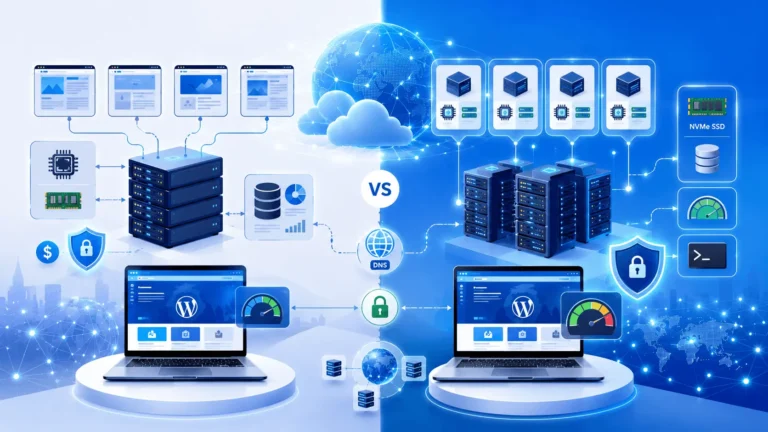
Namecheap vs Hostinger: Domain & Hosting Comparison? Discover pricing, speed, security, features, support, and find the best choice for your website.
Trying to choose between Namecheap and Hostinger? This in-depth comparison covers domains, hosting, pricing, performance, security, customer support, WordPress features, and real-world use cases to help you select the right provider for your website.
Namecheap vs Hostinger: Domain & Hosting Comparison helps website owners choose the right provider based on pricing, hosting performance, domain management, WordPress features, security, customer support, and overall value. While Namecheap excels in affordable domain registration, Hostinger stands out for fast web hosting and beginner-friendly performance.
Table of Contents
ToggleIntroduction
Choosing the right domain registrar and web hosting provider can have a significant impact on your website’s speed, security, search engine visibility, and long-term costs. In this Namecheap vs Hostinger: Domain & Hosting Comparison, we’ll compare two of the industry’s most popular providers across pricing, performance, domain management, WordPress hosting, security, customer support, and overall value.
Whether you’re launching your first blog, building a business website, creating an online portfolio, or running a growing WooCommerce store, selecting the right platform is an important decision. Both Namecheap and Hostinger offer affordable solutions, but they focus on different strengths.
In this comprehensive comparison, you’ll discover how each provider performs in real-world scenarios, where each one excels, and which service is the better fit for your specific needs. You’ll also see how they compare with other leading hosting companies such as Bluehost, WebHostingHub, and InMotion Hosting, helping you make a confident and informed decision before investing in your website.
Namecheap vs Hostinger: Domain & Hosting Comparison – Quick Verdict
If you’re short on time, here’s the quick answer:
- Choose Namecheap if your priority is affordable domain registration, free WHOIS privacy, and simple website hosting for personal or small business websites.
- Choose Hostinger if you want faster hosting performance, LiteSpeed-powered servers, excellent WordPress optimisation, and better overall value for growing websites.
While both companies offer domains and web hosting, they serve slightly different audiences. Namecheap built its reputation as one of the world’s leading domain registrars, whereas Hostinger has become one of the most recommended budget web hosting providers thanks to its speed, modern infrastructure, and beginner-friendly dashboard.
Ultimately, the best choice depends on what you’re building. A personal portfolio has different requirements from an eCommerce store, a business website, or a high-traffic blog. This guide examines every important factor to help you make an informed decision.
Why Trust This Comparison?
Choosing a hosting provider isn’t just about finding the lowest price. It affects:
- Website loading speed
- Search engine rankings
- User experience
- Security
- Reliability
- Future scalability
- Overall website maintenance costs
This comparison is based on publicly available features, hosting technologies, pricing structures, WordPress capabilities, security offerings, and practical considerations that matter to website owners.
Rather than declaring one provider “the winner” in every category, we’ll highlight where each service performs best and explain which users benefit most from each platform.
Namecheap vs Hostinger: Domain & Hosting Comparison Overview
Before diving into the details, here’s a high-level comparison.
What Is Namecheap?
Namecheap began as a domain registrar and has grown into a full-service web hosting company. Today, millions of customers use Namecheap for domain registration, shared hosting, VPS hosting, reseller hosting, email hosting, SSL certificates, and website security.
One of its biggest strengths is simplicity. Purchasing a domain, configuring DNS records, managing renewals, and adding hosting can all be handled from one dashboard.
Because of its competitive pricing and free lifetime WHOIS privacy on eligible domains, Namecheap has become a popular choice among bloggers, freelancers, startups, and small businesses.
Key Features of Namecheap
- Affordable domain registration
- Free WHOIS privacy on eligible domains
- Shared Hosting
- WordPress Hosting
- VPS Hosting
- Dedicated Servers
- Email Hosting
- SSL Certificates
- DNS Management
- Website Builder
- Domain Marketplace
- Easy domain transfers
For users managing multiple domains, Namecheap provides a clean interface that simplifies renewals, DNS management, and security settings.
Namecheap Performance
Namecheap has improved its hosting infrastructure significantly over the past few years. Depending on the hosting plan, customers receive:
- SSD storage
- Free SSL
- cPanel access
- One-click WordPress installation
- Automatic backups (selected plans)
- CDN integration
- Basic caching
While its hosting is reliable for most websites, it generally doesn’t match the speed-focused architecture offered by Hostinger.
Namecheap Pros
✔ Excellent domain prices
✔ Free domain privacy
✔ Easy DNS management
✔ Affordable beginner hosting
✔ Wide selection of TLDs
✔ Simple control panel
✔ Reliable uptime
✔ Strong security products
Namecheap Cons
✘ Entry-level hosting performance isn’t the fastest
✘ Advanced caching features vary by plan
✘ Some premium features require upgrades
✘ Limited resources compared with higher-tier managed hosting providers
Who Should Choose Namecheap?
Namecheap is ideal for:
- First-time website owners
- Bloggers
- Freelancers
- Portfolio websites
- Small business websites
- Users purchasing multiple domains
- People looking for affordable domain renewals
What Is Hostinger?
Hostinger has evolved from a budget hosting provider into one of the fastest-growing names in the hosting industry. It focuses on delivering high performance at affordable prices, making advanced technologies accessible to beginners and experienced users alike.
Unlike traditional shared hosting providers, Hostinger has invested heavily in modern server architecture, including LiteSpeed Web Server, NVMe SSD storage on many plans, HTTP/3 support, and built-in performance optimisation.
These features help websites load quickly while keeping hosting costs competitive.
Key Features of Hostinger
- LiteSpeed Web Server
- NVMe SSD Storage (selected plans)
- Managed WordPress Hosting
- AI Website Builder
- hPanel Control Panel
- Free SSL Certificate
- Free Website Migration
- Automatic Updates
- WordPress Acceleration
- Daily or Weekly Backups (plan dependent)
- Global Data Centres
- Cloud Hosting
- VPS Hosting
- WooCommerce Optimisation
Hostinger is especially attractive for users who want a balance of affordability, speed, and ease of use.
Hostinger Performance
Performance is one of Hostinger’s strongest advantages.
Its infrastructure includes technologies designed to improve page speed and reduce server response times, such as:
- LiteSpeed servers
- Built-in caching
- Object caching (selected plans)
- HTTP/3 support
- PHP optimisation
- CDN compatibility
- NVMe SSD storage on eligible plans
These technologies help improve website responsiveness, particularly for WordPress sites and online stores.
Hostinger Pros
✔ Excellent website speed
✔ Modern hosting infrastructure
✔ Beginner-friendly hPanel
✔ Fast WordPress installation
✔ AI website tools
✔ Strong value for money
✔ Free SSL
✔ Easy website migration
✔ Global server locations
Hostinger Cons
✘ Renewal pricing is typically higher than introductory offers
✘ Some advanced features are limited to higher-tier plans
✘ Free domain availability depends on the hosting package
Who Should Choose Hostinger?
Hostinger is an excellent choice for:
- WordPress beginners
- Professional bloggers
- Small businesses
- Growing websites
- WooCommerce stores
- Affiliate marketers
- Agencies
- Developers needing affordable VPS hosting
Namecheap vs Hostinger Pricing Comparison
Price is often the first factor people consider, but it shouldn’t be the only one. The cheapest hosting plan isn’t always the best value if it lacks the performance or features your website needs.
Here’s a general comparison of what each provider offers.
Which Offers Better Value?
Choose Namecheap if:
- You primarily need domain registration.
- You want free WHOIS privacy.
- You manage several domains.
- You need reliable hosting for a personal or small business website.
Choose Hostinger if:
- Website speed is a priority.
- You’re building a WordPress website.
- You expect traffic growth.
- You want a modern hosting dashboard.
- You plan to run WooCommerce or resource-intensive websites.
For many beginners, Hostinger delivers stronger overall hosting value, while Namecheap remains one of the best options for domain registration and basic hosting.
Expert Insight
The decision between Namecheap and Hostinger isn’t about finding a universally “better” provider. It’s about matching the provider to your goals.
- If your priority is owning and managing domain names with affordable renewals, Namecheap is hard to beat.
- If your priority is hosting performance, WordPress optimisation, and room to grow, Hostinger offers a more feature-rich platform.
In the next section, we’ll compare domain registration, DNS management, hosting architecture, website speed, uptime, and real-world performance to see where each provider truly stands.
Domain Registration Comparison
Although both Namecheap and Hostinger allow you to register domain names, their primary strengths differ. Namecheap has built its reputation as one of the world’s largest domain registrars, while Hostinger focuses more on providing hosting packages that include a domain name.
If your goal is simply to purchase and manage domain names, Namecheap generally offers a broader selection of extensions, domain management tools, and privacy features. On the other hand, if you’re buying a hosting plan and only need one domain for your website, Hostinger offers a convenient all-in-one solution.
Domain Extensions
Both providers support hundreds of domain extensions, including:
- .com
- .net
- .org
- .co
- .io
- .ai
- .xyz
- .online
- Country-code domains (ccTLDs)
Namecheap typically offers a wider marketplace for premium domains and aftermarket purchases, making it attractive for investors and businesses searching for memorable domain names.
Winner
🏆 Namecheap
Domain Pricing
Introductory prices frequently change due to promotions, but both companies remain among the most affordable providers.
Consider more than the first-year price:
- Renewal cost
- Domain transfer fees
- WHOIS privacy
- DNS management
- Renewal reminders
A low introductory offer may not remain the cheapest after the first year.
WHOIS Privacy
Privacy protection hides your personal information from the public WHOIS database.
Namecheap
Strengths
- Free WHOIS privacy on many eligible domains
- Easy privacy management
- Strong reputation for domain security
Hostinger
Hostinger also supports domain privacy for eligible domains, but availability depends on the domain extension and package.
Winner
🏆 Namecheap
DNS Management
DNS controls how visitors reach your website.
Both providers allow you to manage:
- A records
- AAAA records
- CNAME
- MX records
- TXT records
- SPF
- DKIM
- Custom nameservers
Namecheap Advantages
- Mature DNS interface
- Easy bulk management
- Suitable for multiple domains
Hostinger Advantages
- Simple interface
- Beginner-friendly controls
- Quick setup with hosting
For experienced users managing many websites, Namecheap’s DNS tools offer greater flexibility.
Domain Transfers
Eventually, you may wish to move a domain between registrars.
Both companies support:
- Domain transfers
- Domain locking
- Authorisation (EPP) codes
- DNS management before transfer
Namecheap’s long history as a registrar makes the transfer process particularly straightforward.
Hosting Features Comparison
Hosting is where Hostinger begins to distinguish itself.
Both companies offer:
- Shared Hosting
- WordPress Hosting
- VPS Hosting
- Email Hosting
- SSL Certificates
- Website Builder
- One-click installations
However, the underlying technologies differ.
Shared Hosting
Namecheap
Shared hosting is designed for:
- Personal websites
- Small businesses
- Portfolios
- Blogs
- Informational websites
Features commonly include:
- SSD storage
- cPanel
- Free SSL
- Email accounts
- Softaculous installer
It is a dependable choice for low to moderate traffic.
Hostinger
Hostinger’s shared hosting emphasises performance.
Common features include:
- LiteSpeed Web Server
- NVMe SSD storage on eligible plans
- Built-in caching
- WordPress acceleration
- AI tools
- Automatic updates
- Optimised PHP
These enhancements contribute to faster page loading and improved responsiveness.
Winner
🏆 Hostinger
WordPress Hosting
WordPress users have specific requirements, including:
- Fast loading
- Security
- Automatic updates
- Easy installation
- Reliable backups
- Caching
Namecheap
Provides:
- Managed WordPress options
- One-click installation
- Automatic updates
- Good compatibility
Suitable for beginners and small websites.
Hostinger
Offers:
- Managed WordPress
- LiteSpeed Cache
- WordPress acceleration
- AI assistant
- Staging (selected plans)
- Optimised server configuration
These features simplify management while improving performance.
Winner
🏆 Hostinger
VPS Hosting
Developers and businesses often require VPS hosting for greater control.
Namecheap VPS
Best for:
- Custom software
- Developers
- Medium-sized projects
Hostinger VPS
Offers:
- Dedicated resources
- Flexible configurations
- Full root access
- Modern virtualisation
- Excellent price-to-performance ratio
Winner
🏆 Hostinger
Website Builder
Both providers include website builders aimed at users without coding experience.
Namecheap
- Drag-and-drop editor
- Beginner-friendly
- Suitable for small sites
Hostinger
- AI-powered builder
- Modern templates
- Business-oriented features
- Faster setup process
Winner
🏆 Hostinger
Email Hosting
Professional email addresses improve credibility.
Examples include:
Namecheap
Offers dedicated email hosting products and integrates well with domains registered through its platform.
Hostinger
Provides email services with many hosting plans, making setup convenient for website owners.
Winner
🤝 Tie
Performance & Speed Comparison
Website speed directly influences user experience, conversion rates, and search visibility. Faster websites tend to retain visitors for longer and can provide a smoother browsing experience.
Server Infrastructure
Namecheap
Uses dependable infrastructure featuring:
- SSD storage
- Cloud-based technologies
- cPanel hosting
- Multiple data centres
- Free SSL
Suitable for most personal and business websites.
Hostinger
Hostinger’s infrastructure is designed with performance in mind.
Technologies include:
- LiteSpeed Web Server
- HTTP/3
- NVMe SSD storage
- Optimised PHP
- Advanced caching
- Cloud architecture
- Global CDN compatibility
These technologies help deliver content efficiently, especially for dynamic WordPress websites.
Winner
🏆 Hostinger
Website Loading Speed
Several factors influence page speed:
- Server quality
- Caching
- Database optimisation
- Theme quality
- Image optimisation
- CDN usage
While both providers can host fast websites, Hostinger includes more built-in performance enhancements.
This can reduce the amount of manual optimisation required after launching your website.
Uptime
Reliable uptime ensures visitors can access your website consistently.
Both providers aim for high availability and maintain modern hosting environments.
A dependable hosting provider should minimise downtime through:
- Redundant infrastructure
- Continuous monitoring
- Hardware upgrades
- Network resilience
For most users, both Namecheap and Hostinger provide reliable service, although Hostinger’s performance-focused architecture often appeals to websites expecting consistent traffic growth.
Global Data Centres
The location of your server affects loading times.
Hostinger offers multiple server locations around the world, allowing customers to choose a data centre closer to their target audience.
Namecheap also provides several hosting locations, though options vary by hosting product.
If your visitors are spread across different regions, pairing your hosting with a Content Delivery Network (CDN) can further improve global performance.
Caching Technology
Caching stores frequently requested website data so pages can load more quickly.
Namecheap
Supports caching through server configurations, plugins, and compatible optimisation tools.
Hostinger
Provides LiteSpeed Cache support for WordPress, enabling advanced caching with minimal configuration.
This can improve:
- First Contentful Paint (FCP)
- Largest Contentful Paint (LCP)
- Overall page responsiveness
Performance Comparison Summary
Recommended Hosting Based on Your Needs
👉 Register a Domain Name
Recommended: Namecheap
👉 Launch a WordPress Website
Recommended: Hostinger
👉 Need Reliable Managed Hosting for Business Growth?
If your website outgrows entry-level hosting, consider these alternatives:
Namecheap vs Hostinger WordPress Hosting Comparison
If you’re planning to build a WordPress website, choosing the right hosting provider is one of the most important decisions you’ll make. While both Namecheap and Hostinger support WordPress, they differ in terms of performance optimisation, ease of use, and scalability.
Whether you’re creating a personal blog, a company website, or an online store, your hosting should provide fast loading times, reliable security, and room to grow.
WordPress Installation
Both providers offer a simple one-click WordPress installation process, allowing beginners to launch a website within minutes.
Namecheap
Features include:
- One-click WordPress installation
- Automatic updates
- SSL support
- cPanel management
- Easy plugin installation
The setup process is straightforward and well suited to beginners.
Hostinger
Hostinger offers:
- One-click WordPress installation
- Managed WordPress optimisation
- AI-powered setup assistance
- Automatic updates
- Performance tuning
- Built-in caching support
Its setup wizard is especially beginner-friendly and guides users through the entire website creation process.
Winner
🏆 Hostinger
WordPress Performance
Performance is crucial for:
- Better user experience
- Lower bounce rates
- Improved Core Web Vitals
- Higher conversion rates
- Better SEO potential
Namecheap
Provides solid WordPress performance with:
- SSD storage
- Free SSL
- Optimised PHP versions
- CDN compatibility
- WordPress compatibility
For smaller websites, blogs, and portfolios, this level of performance is generally sufficient.
Hostinger
Hostinger adds several performance-focused technologies, including:
- LiteSpeed Web Server
- LiteSpeed Cache integration
- NVMe SSD storage (available on selected plans)
- HTTP/3 support
- Advanced caching
- Optimised server configuration
These features can help WordPress websites remain responsive as traffic grows.
Winner
🏆 Hostinger
WooCommerce Hosting
Running an online store requires more server resources than a standard blog.
Important features include:
- Fast checkout pages
- Secure payment processing
- Reliable uptime
- Database optimisation
- SSL certificates
- Regular backups
Namecheap
Suitable for:
- Small online shops
- Local businesses
- Low to moderate product catalogues
Hostinger
Better suited for:
- Growing WooCommerce stores
- High-traffic eCommerce websites
- Businesses expecting future expansion
Winner
🏆 Hostinger
Security Comparison
Security should never be an afterthought. A secure hosting environment helps protect your website, visitors, and data from common threats.
SSL Certificates
An SSL certificate encrypts data exchanged between visitors and your website.
Both providers include free SSL certificates with many hosting plans, making it easy to secure your website from day one.
If you require advanced validation or business-grade certificates, premium SSL options are also available.
Malware Protection
Namecheap
Offers:
- Server-level security
- Malware scanning options
- SSL support
- Secure DNS management
- Two-factor authentication for accounts
Hostinger
Provides:
- Account isolation
- Web application firewall features
- Malware protection tools
- DDoS mitigation
- Two-factor authentication
- Automatic updates
Winner
🏆 Hostinger
Backups
Regular backups are essential in case of accidental deletion, software issues, or security incidents.
Namecheap
Backup availability depends on the hosting package selected.
Hostinger
Many plans include automatic backups, with frequency varying by package.
Always maintain your own off-site backups regardless of your hosting provider.
Account Security
Both companies support modern account protection features such as:
- Strong password policies
- Two-factor authentication
- Secure login systems
- Account verification
- SSL encryption
These measures help reduce the risk of unauthorised access.
Ease of Use
A hosting platform should simplify website management rather than complicate it.
Namecheap Dashboard
Namecheap uses a familiar interface combined with cPanel for many hosting services.
Advantages include:
- Easy domain management
- Familiar hosting tools
- Wide documentation
- Flexible settings
- Suitable for users managing multiple domains
Many experienced website owners appreciate cPanel because of its extensive feature set and widespread adoption.
Hostinger hPanel
Hostinger developed its own control panel, hPanel, with a focus on simplicity.
Benefits include:
- Modern interface
- Clear navigation
- Beginner-friendly design
- Integrated website management
- Performance monitoring
- AI-assisted tools
New users often find hPanel easier to learn than traditional hosting dashboards.
Control Panel Comparison
| Feature | Namecheap (cPanel) | Hostinger (hPanel) |
|---|---|---|
| Beginner Friendly | ⭐⭐⭐⭐☆ | ⭐⭐⭐⭐⭐ |
| Advanced Features | ⭐⭐⭐⭐⭐ | ⭐⭐⭐⭐☆ |
| Speed | ⭐⭐⭐⭐☆ | ⭐⭐⭐⭐⭐ |
| User Interface | Traditional | Modern |
Winner
🏆 Hostinger
Customer Support Comparison
Reliable support can save hours of troubleshooting when issues arise.
Namecheap Support
Support options include:
- 24/7 live chat
- Ticket system
- Knowledge base
- Tutorials
- Community resources
Namecheap is particularly strong at helping users with domain registration, DNS settings, and account management.
Hostinger Support
Hostinger provides:
- 24/7 customer support
- Live chat
- Extensive knowledge base
- Step-by-step tutorials
- AI-assisted help resources
The support documentation is especially useful for beginners learning WordPress and website management.
Knowledge Base
Both companies maintain comprehensive documentation covering:
- WordPress installation
- SSL setup
- Email configuration
- Website migration
- DNS management
- Security settings
Hostinger’s guides tend to focus more heavily on website optimisation and performance, while Namecheap excels in domain-related documentation.
| Support Area | Namecheap | Hostinger |
|---|---|---|
| Live Chat | ⭐⭐⭐⭐⭐ | ⭐⭐⭐⭐⭐ |
| Tutorials | ⭐⭐⭐⭐☆ | ⭐⭐⭐⭐⭐ |
| WordPress Help | ⭐⭐⭐⭐☆ | ⭐⭐⭐⭐⭐ |
| Domain Expertise | ⭐⭐⭐⭐⭐ | ⭐⭐⭐⭐☆ |
| Overall Experience | ⭐⭐⭐⭐☆ | ⭐⭐⭐⭐⭐ |
Winner
🏆 Hostinger
Real-World Use Cases
Choosing between Namecheap and Hostinger becomes easier when you match the provider to your specific goals.
Personal Blog
Recommended: Hostinger
Its WordPress optimisation and performance features make it a strong option for bloggers who want a fast-loading site with minimal setup.
Portfolio Website
Recommended: Namecheap
If your portfolio is relatively simple and you value affordable domain registration, Namecheap provides a practical solution.
Small Business Website
Recommended: Hostinger
Businesses often benefit from Hostinger’s faster hosting environment, user-friendly dashboard, and room to scale as traffic increases.
WooCommerce Store
Recommended: Hostinger
An online store typically demands more server resources and performance optimisation, areas where Hostinger has an advantage.
Managing Multiple Domains
Recommended: Namecheap
Its domain management tools, bulk operations, and long-standing registrar experience make it well suited to users handling multiple domain names.
Expert Tips Before Buying Hosting
Before committing to any hosting provider, keep these best practices in mind:
- Compare renewal prices as well as introductory offers.
- Choose a hosting plan that allows for future growth.
- Enable two-factor authentication on your hosting account.
- Keep WordPress, themes, and plugins updated.
- Use a CDN if your audience is spread across multiple countries.
- Optimise images before uploading them.
- Schedule regular website backups.
- Test customer support responsiveness before purchasing.
- Register your domain for multiple years if you’re building a long-term brand.
- Review the hosting provider’s upgrade options so you can scale without unnecessary migrations.
Common Mistakes to Avoid
Many first-time website owners make avoidable mistakes when selecting hosting.
Avoid these common pitfalls:
- Choosing a provider based solely on the lowest introductory price.
- Ignoring renewal costs.
- Purchasing more resources than your website currently needs.
- Forgetting to activate SSL.
- Skipping regular backups.
- Overlooking server location when targeting a specific audience.
- Using too many poorly coded WordPress plugins.
- Neglecting website security practices.
- Failing to monitor website performance after launch.
- Not planning for future growth.
Expert Verdict Before the Final Comparison
After comparing domains, hosting features, WordPress support, performance, security, usability, and customer support, a clear pattern emerges:
- Choose Namecheap if your primary focus is affordable domain registration, domain management, and reliable hosting for smaller websites.
- Choose Hostinger if you want stronger overall hosting performance, better WordPress optimisation, modern management tools, and a platform that can comfortably support a growing website.
Neither provider is universally “better”—the right choice depends on your website’s goals, expected traffic, and long-term plans.
Namecheap vs Hostinger: Complete Hosting Comparison Table
Note: Prices and features may change over time. Always check the latest plans before purchasing.
Feature Winner Comparison
Which Hosting Is Best for You?
Best for Beginners
🥇 Hostinger
Why?
- Beginner-friendly hPanel
- Guided WordPress setup
- Excellent value
- Strong performance
- Helpful tutorials
Best for WordPress Websites
🥇 Hostinger
Ideal for:
- Bloggers
- Content creators
- Business websites
- Portfolio websites
Benefits:
- LiteSpeed optimisation
- Managed WordPress features
- One-click installation
- Built-in caching
- Easy updates
Best for WooCommerce
🥇 Hostinger
Recommended because of:
- Better server performance
- Faster database response
- Scalable hosting
- Strong WordPress compatibility
Best for Domain Registration
🥇 Namecheap
Best for:
- Buying domains
- Managing multiple domains
- Domain transfers
- Free WHOIS privacy on eligible domains
Best for Small Business
🥇 InMotion Hosting
Good choice if you need:
- Business-grade hosting
- Higher resource limits
- Growth potential
- Professional support
Best for New Bloggers
🥇 Bluehost
Bluehost remains a solid option for bloggers who want an easy onboarding experience and WordPress-focused hosting.
Best for Developers
🥇 Hostinger VPS
Developers benefit from:
- Root access
- Flexible VPS plans
- Modern infrastructure
- Competitive pricing
Best Budget Choice
If your budget is limited:
- Domain: Namecheap
- Hosting: Hostinger
This combination offers excellent value for most new websites.
Real-World Scenarios
Scenario 1: Starting Your First Blog
Recommendation:
- Domain → Namecheap
- Hosting → Hostinger
Reason:
Affordable, fast, and beginner-friendly.
Scenario 2: Building a Business Website
Recommendation
Hostinger or InMotion Hosting
Reason:
Better scalability and performance.
Scenario 3: Launching an Online Store
Recommendation
Hostinger
Reason:
WooCommerce optimisation and strong server performance.
Scenario 4: Managing Many Domain Names
Recommendation
Namecheap
Reason:
Excellent registrar tools and straightforward DNS management.
Scenario 5: Agency or Freelancer
Recommendation
Hostinger VPS or InMotion Hosting
Reason:
Greater flexibility for hosting multiple client websites.
Buying Guide
Before choosing a provider, ask yourself:
How much traffic do you expect?
- Under 10,000 monthly visitors
- 10,000–100,000 visitors
- More than 100,000 visitors
Are you using WordPress?
If yes, prioritise:
- LiteSpeed
- SSD/NVMe storage
- Automatic backups
- Managed updates
- Optimised caching
Do you need professional email?
Both Namecheap and Hostinger offer email solutions, but check the specific plan to confirm what’s included.
Will your website grow?
Choose a provider that offers straightforward upgrades without requiring a complex migration later.
Expert Tips
✔ Buy your domain for multiple years if you’re building a long-term brand.
✔ Enable automatic renewals to avoid accidental domain expiration.
✔ Always activate SSL before publishing your website.
✔ Optimise images to improve page speed.
✔ Install only trusted WordPress plugins.
✔ Keep WordPress core, themes, and plugins updated.
✔ Use a CDN if you have a global audience.
✔ Monitor website performance regularly using Core Web Vitals.
Frequently Asked Questions (FAQ)
1. Is Namecheap better than Hostinger?
Namecheap excels at domain registration and domain management, while Hostinger generally offers stronger hosting performance and WordPress optimisation.
2. Which provider is cheaper?
Both providers frequently run promotions. Compare both introductory and renewal prices before making a decision.
3. Is Hostinger good for WordPress?
Yes. Hostinger includes WordPress-focused features such as managed optimisation, LiteSpeed support, and an intuitive control panel.
4. Can I transfer my domain from Namecheap to Hostinger?
Yes. Both companies support domain transfers using standard authorisation (EPP) codes, provided your domain meets transfer eligibility requirements.
5. Which provider offers better customer support?
Both offer 24/7 support. Hostinger is often praised for its beginner-focused documentation, while Namecheap is well regarded for domain-related assistance.
6. Does Namecheap include free SSL?
Many Namecheap hosting plans include a free SSL certificate. Always confirm the specific plan details before purchasing.
7. Is Hostinger suitable for WooCommerce?
Yes. Hostinger’s performance-oriented infrastructure makes it a strong choice for many WooCommerce websites.
8. Which provider is better for beginners?
Hostinger’s guided setup and user-friendly hPanel make it especially approachable for first-time website owners.
9. Should I buy my domain and hosting from the same company?
Not necessarily. Many users register domains with Namecheap and host their websites with Hostinger. Keeping them separate can provide greater flexibility if you decide to change hosting providers later.
10. Which provider offers the best overall value?
If your focus is hosting performance and WordPress features, Hostinger offers excellent value. If your priority is domain registration and management, Namecheap is a leading choice. Many website owners combine the strengths of both services for the best overall experience.
Namecheap vs Hostinger: Which Hosting Provider Should You Choose?
Watch a step-by-step comparison of Namecheap and Hostinger to see how they differ in domain registration, hosting performance, WordPress support, security, pricing, and ease of use. A practical walkthrough can help you decide which provider best matches your website goals before you make a purchase.
Conclusion
Choosing between Namecheap vs Hostinger: Domain & Hosting Comparison ultimately depends on what you need most from your website.
If your priority is registering and managing domain names, Namecheap remains one of the strongest choices thanks to its competitive domain pricing, free WHOIS privacy on many eligible domains, and easy-to-use DNS management tools.
If you’re looking for fast, reliable web hosting, Hostinger stands out with its modern infrastructure, LiteSpeed-powered servers, WordPress optimisation, beginner-friendly hPanel, and excellent overall value. It’s especially well suited for bloggers, businesses, WooCommerce stores, and growing websites that require consistent performance.
For many website owners, the most practical approach is to combine the strengths of both platforms:
- Register your domain with Namecheap
- Host your website with Hostinger
This setup allows you to benefit from Namecheap’s domain expertise while taking advantage of Hostinger’s performance-focused hosting.
If your website grows into a larger business or requires additional resources, you can also consider providers like Bluehost or InMotion Hosting for more advanced hosting options.
Before making your final decision, compare the latest pricing, renewal costs, included features, backup policies, and support options. Selecting the right provider today can save you time, improve website performance, and support your site’s long-term success.
Final Recommendation
🏆 Best Overall Domain Registrar
Namecheap
Ideal for:
- Domain registration
- Domain transfers
- DNS management
- Multiple domain portfolios
🏆 Best Overall Web Hosting
Hostinger
Ideal for:
- WordPress
- Bloggers
- Small businesses
- WooCommerce
- Beginners
- Affiliate websites
Business Hosting Recommendation
Need additional resources and business-grade hosting?
Beginner-Friendly WordPress Hosting
Website Security
Protect your website with SSL.
Related Articles (QYUSE):
- Bluehost vs Hostinger: Which Is Better?
- Types of Web Hosting
- How Does Website Hosting Work?
- Difference Between Domain and Hosting
- How to Create a WordPress Website
- Best Managed Cloud Hosting
- Best Hosting for E-commerce Website
- Cheapest NVMe SSD Hosting
- Web Hosting Price Comparison
- Best Developer Friendly VPS Hosting
- Website Speed Optimization Guide
- WordPress Security Guide
- Optimized Elementor Website Hosting
Recommended Resources:
- WordPress – https://wordpress.org/
- Google Search Central – https://developers.google.com/search
- web.dev – https://web.dev/
- Let’s Encrypt – https://letsencrypt.org/
- ICANN – https://www.icann.org/