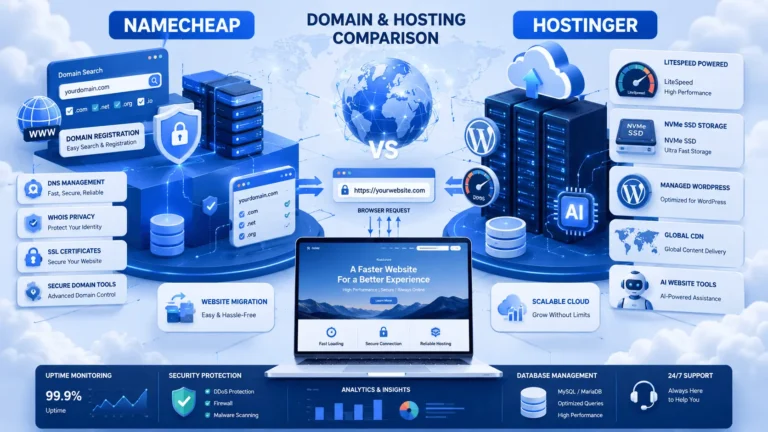
How to Choose the Right Hosting for Your Website with 15 expert tips. Learn how to compare hosting providers, improve speed, security, and choose the best plan.
Choosing the right web hosting is one of the most important decisions you’ll make for your website. This comprehensive guide explains how to compare hosting providers, evaluate performance, security, pricing, scalability, and support so you can confidently choose the best hosting for your needs.
How to Choose the Right Hosting for Your Website starts with understanding your website’s purpose, expected traffic, performance needs, security requirements, and budget. Compare hosting providers based on uptime, speed, scalability, support, backups, and pricing before making a decision to ensure long-term website success.
Table of Contents
ToggleIntroduction
Launching a website is exciting, but one decision can significantly impact its success: How to Choose the Right Hosting for Your Website. Whether you’re building a personal blog, a business website, an online portfolio, or an eCommerce store, your hosting provider influences your site’s speed, security, uptime, scalability, and user experience.
Many beginners focus only on price when selecting a hosting plan. While affordability is important, it shouldn’t be the only deciding factor. A low-cost hosting package with poor performance can lead to slow page loading, frequent downtime, security vulnerabilities, and lost visitors. On the other hand, paying for enterprise-level hosting when your website only receives a few hundred monthly visitors may be unnecessary.
The good news is that choosing the right hosting doesn’t have to be confusing. By understanding the different types of hosting, evaluating your website’s current and future needs, and comparing essential features such as performance, security, customer support, storage, and scalability, you can confidently select a hosting solution that supports your goals.
In this comprehensive guide, you’ll learn How to Choose the Right Hosting for Your Website step by step. We’ll explain the differences between shared, VPS, cloud, dedicated, and managed WordPress hosting, highlight the features that matter most, compare leading hosting providers, and provide practical recommendations for beginners, bloggers, businesses, developers, and growing online stores.
By the end of this guide, you’ll know exactly what to look for before purchasing hosting—and how to avoid common mistakes that can cost you time, money, and website performance.
What Is Website Hosting?
Before learning How to Choose the Right Hosting for Your Website, it’s important to understand what web hosting actually is.
Web hosting is a service that stores your website’s files, images, databases, and code on a server connected to the internet. Whenever someone types your domain name into a browser, the hosting server delivers your website to that visitor.
Think of it this way:
- Domain Name = Your website’s address
- Hosting = The land where your website is built
- Website Files = Your house
Without hosting, your website cannot be accessed online.
Why Choosing the Right Hosting Matters
Choosing the wrong hosting provider can negatively affect your website from day one.
A quality hosting provider helps you achieve:
- Faster page loading speeds
- Better SEO rankings
- Improved user experience
- Higher uptime
- Stronger security
- Easier website management
- Better scalability as traffic grows
Poor hosting can lead to:
- Slow websites
- Frequent downtime
- Security issues
- Lost customers
- Lower Google rankings
- Higher bounce rates
Your hosting is the foundation of your website. Investing in the right solution saves money and prevents headaches in the long run.
How to Choose the Right Hosting for Your Website
Choosing hosting isn’t about selecting the cheapest plan—it’s about finding the right balance between performance, reliability, security, support, and value.
Below are the most important factors to consider.
1. Identify Your Website’s Purpose
Different websites have different hosting requirements.
Ask yourself:
- Is this a personal blog?
- A portfolio website?
- A company website?
- An online store?
- A membership platform?
- A high-traffic news site?
For example:
| Website Type | Recommended Hosting |
|---|---|
| Personal Blog | Shared Hosting |
| Small Business | Shared or Managed WordPress |
| Portfolio | Shared Hosting |
| WooCommerce Store | Cloud or Managed WordPress |
| SaaS Application | VPS or Cloud |
| Enterprise Website | Dedicated or Cloud |
The clearer your website goals are, the easier it becomes to choose suitable hosting.
2. Estimate Your Expected Traffic
Traffic determines how many server resources you’ll need.
Small Websites
Monthly visitors:
- Under 5,000
Shared hosting is usually enough.
Growing Websites
Monthly visitors:
5,000–50,000
Cloud hosting or VPS hosting offers better performance and flexibility.
Large Websites
Monthly visitors:
50,000+
Choose:
- VPS
- Cloud Hosting
- Dedicated Server
Planning ahead prevents costly migrations later.
3. Understand Different Types of Hosting
One of the biggest steps in How to Choose the Right Hosting for Your Website is understanding the available hosting options.
Shared Hosting
Shared hosting places multiple websites on one server.
Pros
- Affordable
- Beginner-friendly
- Easy setup
- Includes control panel
- Ideal for new websites
Cons
- Shared resources
- Lower performance during traffic spikes
- Limited customization
Best for:
- Beginners
- Bloggers
- Personal websites
- Small businesses
VPS Hosting
Virtual Private Server hosting allocates dedicated resources within a shared physical server.
Pros
- Faster
- More secure
- Greater control
- Scalable
Cons
- Higher cost
- Requires more technical knowledge
Best for:
- Growing businesses
- Developers
- Medium traffic websites
Cloud Hosting
Cloud hosting distributes your website across multiple servers.
Benefits include:
- High uptime
- Excellent scalability
- Better redundancy
- Improved speed
- Flexible resource allocation
Perfect for:
- Online stores
- SaaS
- Business websites
- High-growth projects
Dedicated Hosting
Dedicated hosting provides an entire physical server for one customer.
Advantages:
- Maximum performance
- Complete control
- Highest security
- Full customization
Disadvantages:
- Expensive
- Requires server administration
Suitable for:
- Enterprise websites
- Large eCommerce stores
- High-traffic applications
Managed WordPress Hosting
Specifically optimized for WordPress.
Usually includes:
- Automatic updates
- Daily backups
- Security monitoring
- Server optimization
- Expert WordPress support
Ideal for:
- Bloggers
- Agencies
- WooCommerce
- Business websites
4. Performance Should Always Be a Priority
Website speed influences:
- SEO
- User experience
- Conversions
- Bounce rate
Look for hosting providers offering:
- NVMe SSD storage
- LiteSpeed servers
- HTTP/3
- PHP 8+
- Object caching
- Built-in CDN
- Optimized databases
A difference of just one second in loading time can significantly affect visitor engagement and sales.
Why Speed Matters
A fast website:
- Improves search visibility
- Increases user satisfaction
- Encourages visitors to stay longer
- Boosts conversion rates
- Supports Core Web Vitals
Expert Tip
Avoid selecting hosting based solely on “unlimited” marketing claims. Focus instead on real-world performance benchmarks, server infrastructure, and independent uptime records.
5. Check the Uptime Guarantee
Downtime means:
- Lost visitors
- Lost revenue
- Poor SEO signals
- Reduced trust
Look for:
- 99.9% uptime or higher
- Transparent uptime reports
- Reliable infrastructure
- Redundant systems
Anything significantly below 99.9% may affect website reliability.
6. Evaluate Security Features
Security should never be optional.
Essential hosting security features include:
- Free SSL certificate
- Web Application Firewall (WAF)
- Malware scanning
- DDoS protection
- Automatic backups
- Two-factor authentication
- Secure data centers
- Account isolation
A secure hosting environment helps protect your website and visitors while also supporting search engine trust.
SSL Certificate Is Essential
Every website should use HTTPS.
Benefits include:
- Encrypted connections
- Improved visitor confidence
- Better SEO
- Browser security indicators
- Protection of user data
If your hosting plan doesn’t include an SSL certificate, you’ll need to purchase or install one separately.
7. Storage and Bandwidth
Don’t choose hosting based only on large storage numbers.
Instead, consider:
- NVMe SSD vs traditional SSD
- Expected website size
- Number of images
- Video content
- Downloadable files
Bandwidth determines how much data visitors can transfer from your website.
Most small websites don’t need unlimited bandwidth, but growing websites should choose scalable plans.
8. Customer Support Can Save Your Website
Even experienced website owners occasionally need assistance.
Choose providers offering:
- 24/7 live chat
- Ticket support
- Phone support (where available)
- Comprehensive knowledge base
- Fast response times
Excellent support becomes especially valuable during migrations, outages, or security incidents.
9. Ease of Use
If you’re new to website management, prioritize hosts that provide:
- Simple dashboards
- One-click WordPress installation
- Automatic updates
- Easy backup restoration
- File manager
- Database management
- Email account setup
A user-friendly interface reduces the learning curve and helps you focus on creating content rather than managing servers.
10. Scalability Matters
Your website today may be very different a year from now.
Choose a hosting provider that allows you to:
- Upgrade resources easily
- Move from shared hosting to VPS
- Expand storage
- Increase RAM
- Handle seasonal traffic spikes
Scalable hosting ensures your website can grow without requiring a complete migration.
Real-World Use Cases
Personal Blog
Needs:
- Affordable hosting
- Easy WordPress installation
- Free SSL
- Automatic backups
Shared hosting is often sufficient.
Business Website
Needs:
- Fast loading
- High uptime
- Strong security
- Professional email
Cloud or managed WordPress hosting is typically a better choice.
WooCommerce Store
Needs:
- Fast checkout
- Reliable uptime
- Daily backups
- Enhanced security
- Scalable resources
Cloud hosting or managed WordPress hosting is generally recommended.
Developer Portfolio
Needs:
- Git support
- Staging environments
- SSH access
- Flexible PHP versions
VPS or developer-friendly managed hosting provides greater control.
Expert Tips Before Buying Hosting
- Read recent customer reviews from trusted sources.
- Verify renewal pricing before purchasing.
- Confirm backup frequency and restore options.
- Test customer support responsiveness.
- Review uptime guarantees and service-level agreements.
- Ensure the plan supports your preferred CMS or programming language.
- Choose a provider that offers an easy upgrade path.
- Look for transparent resource allocations rather than vague “unlimited” claims.
Recommendations
If you’re evaluating reliable hosting providers, these options are worth considering based on different needs:
For Beginners
Affordable, beginner-friendly, and easy to set up.
For WordPress Websites
Well-suited for WordPress users seeking simplicity and dependable performance.
For Affordable Domains and Hosting
A solid option for users looking to manage domains and hosting from one provider.
For Business Growth
Designed for businesses that need performance, scalability, and dependable support.
For Budget-Friendly Hosting
Suitable for small websites and users looking for cost-effective hosting solutions.
Hosting Comparison Table
Note: Features and pricing can change over time. Always verify the latest plans on the provider’s official website before purchasing.
| Hosting Provider | Starting Price* | Performance | Storage | Free Domain | Free SSL | Support | Best For | Overall Rating |
|---|---|---|---|---|---|---|---|---|
| Namecheap | Budget-friendly | ★★★★☆ | SSD/NVMe (plan dependent) | ✅ Selected Plans | ✅ | 24/7 Live Chat | Domains, Small Websites | ⭐ 4.6/5 |
| Hostinger | Budget-friendly | ★★★★★ | NVMe SSD | ✅ Selected Plans | ✅ | 24/7 Live Chat | Beginners, WordPress | ⭐ 4.9/5 |
| Bluehost | Mid-range | ★★★★☆ | SSD | ✅ | ✅ | 24/7 Support | WordPress, Blogs | ⭐ 4.8/5 |
| WebHostingHub | Budget-friendly | ★★★★☆ | SSD | ✅ Selected Plans | ✅ | 24/7 Support | Personal Websites | ⭐ 4.5/5 |
| InMotion Hosting | Mid-range | ★★★★★ | NVMe SSD | ✅ Selected Plans | ✅ | 24/7 US-Based Support | Business & Developers | ⭐ 4.9/5 |
*Starting prices vary by promotion and renewal terms.
Feature Comparison
| Feature | Namecheap | Hostinger | Bluehost | WebHostingHub | InMotion Hosting |
|---|---|---|---|---|---|
| Beginner Friendly | ✅ | ✅ | ✅ | ✅ | ✅ |
| WordPress Optimized | ✅ | ✅ | ✅ | ✅ | ✅ |
| Free Website Migration | Selected Plans | Selected Plans | Selected Plans | Selected Plans | Selected Plans |
| Automatic Backups | Optional/Plan-based | Selected Plans | Selected Plans | Selected Plans | Selected Plans |
| NVMe Storage | Some Plans | ✅ | Limited | Limited | ✅ |
| LiteSpeed Server | Selected Plans | ✅ | No | No | Selected Plans |
| Free Email | Selected Plans | Selected Plans | Selected Plans | Selected Plans | Selected Plans |
| One-Click WordPress Install | ✅ | ✅ | ✅ | ✅ | ✅ |
Which Hosting Is Best for Different Users?
Best Hosting for Beginners
Recommended: Hostinger
Why?
- Beginner-friendly dashboard
- Affordable pricing
- Fast NVMe storage
- Free SSL
- One-click WordPress installation
- Excellent value for first websites
Best Hosting for WordPress
Recommended: Bluehost
Ideal for:
- Bloggers
- Portfolio websites
- Company websites
- New WordPress users
Benefits
- Easy WordPress setup
- Reliable performance
- Helpful support
- User-friendly interface
Best Hosting for WooCommerce
Recommended: InMotion Hosting
Why?
WooCommerce stores need:
- Faster databases
- Reliable uptime
- Strong security
- Better scalability
- Daily backups
InMotion Hosting is a strong choice for businesses expecting consistent growth.
Best Hosting for Bloggers
Recommended options:
- Hostinger
- Bluehost
Why?
Both providers offer:
- Easy WordPress installation
- Free SSL
- Good performance
- Beginner-friendly control panels
- Affordable entry plans
Best Hosting for Small Businesses
Recommended:
- InMotion Hosting
- Hostinger
Businesses usually require:
- High uptime
- Email hosting
- Better security
- Scalable resources
- Reliable customer support
Best Hosting for Developers
Developers often need:
- SSH access
- Git integration
- Multiple PHP versions
- Staging environments
- Greater server control
Recommended:
- InMotion Hosting
- VPS or Cloud Hosting plans from reputable providers
Pros and Cons of Choosing Premium Hosting
Pros
- Faster website loading
- Better Google rankings
- Higher uptime
- Improved security
- Better support
- Easier scaling
- Daily backups
- Better user experience
Cons
- Higher renewal prices
- Premium features may cost extra
- Entry plans may have resource limits
- Advanced hosting may require technical knowledge
Common Hosting Mistakes to Avoid
Many first-time website owners make avoidable mistakes.
1. Buying the Cheapest Hosting
Low prices are attractive, but performance and support matter more over the long term.
2. Ignoring Renewal Costs
Always check:
- Renewal pricing
- Contract length
- Refund policy
The first-year discount may not reflect future costs.
3. Overlooking Security
Ensure your hosting includes:
- SSL
- Malware scanning
- Firewall protection
- Backups
4. Not Planning for Growth
If your website grows quickly, you’ll need scalable hosting.
Choose a provider with straightforward upgrade options.
5. Ignoring Customer Support
When your website experiences downtime, responsive support can save valuable time.
Look for providers offering 24/7 assistance.
6. Forgetting Backups
Backups protect your content against:
- Human error
- Malware
- Failed updates
- Server issues
Automatic daily backups are highly recommended.
7. Choosing Hosting Without Research
Before purchasing:
- Read recent reviews
- Compare features
- Test support if possible
- Review uptime history
- Understand included services
Expert Checklist Before Buying Hosting
✔ Understand your website goals
✔ Estimate expected traffic
✔ Compare hosting types
✔ Verify uptime guarantee
✔ Check security features
✔ Confirm free SSL
✔ Review backup options
✔ Compare support quality
✔ Read independent reviews
✔ Check renewal pricing
✔ Ensure scalability
✔ Verify refund policy
Hosting Buying Decision Flow
Starting a Website?
        │
        ▼
How much traffic?
        │
        ├── Low
        │      │
        │      ▼
        │  Shared Hosting
        │
        ├── Medium
        │      │
        │      ▼
        │   Cloud Hosting
        │
        └── High
               │
               ▼
         VPS or Dedicated
Quick Buying Guide
| Your Situation | Recommended Hosting |
|---|---|
| Personal Blog | Shared Hosting |
| New WordPress Site | Managed WordPress |
| Portfolio | Shared Hosting |
| Small Business | Cloud Hosting |
| WooCommerce | Cloud or Managed WordPress |
| Agency | VPS |
| SaaS Platform | VPS or Cloud |
| Enterprise | Dedicated Server |
Frequently Asked Questions (FAQs)
1. What is the best hosting for beginners?
For many beginners, a reliable shared hosting plan with an easy control panel, one-click WordPress installation, free SSL, and responsive support is an excellent starting point.
2. Is shared hosting good enough?
Yes. Shared hosting is suitable for most new blogs, portfolios, and small business websites with moderate traffic.
3. When should I upgrade to VPS hosting?
Consider upgrading when:
- Website traffic increases significantly
- Performance slows
- You require more server control
- Your applications need dedicated resources
4. Does hosting affect SEO?
Yes. Faster loading times, higher uptime, secure HTTPS connections, and good server performance contribute to a better user experience, which can indirectly support SEO.
5. Is free SSL important?
Absolutely. HTTPS encrypts data between visitors and your website, improves trust, and is considered a standard security practice.
6. Which hosting is best for WordPress?
Managed WordPress hosting or WordPress-optimized shared hosting is often the best choice, depending on your budget and expected traffic.
7. How much storage do I need?
Most new websites require relatively little storage. Prioritize fast NVMe or SSD storage over simply choosing the largest storage capacity.
8. Can I change my hosting provider later?
Yes. Most hosting providers offer migration tools or migration assistance, making it possible to move your website if your needs change.
9. What uptime should I look for?
Aim for providers that advertise at least a 99.9% uptime guarantee backed by reliable infrastructure.
10. Should I buy my domain and hosting from the same company?
It depends. Keeping them together can simplify management, while using separate providers can offer more flexibility. Choose the approach that best fits your technical comfort level and long-term plans.
Ready to Choose Your Hosting?
If you’re starting your first website, prioritize:
- Reliable uptime
- Fast NVMe or SSD storage
- Free SSL
- Responsive customer support
- Easy scalability
- Transparent pricing
- Strong security
Selecting the right hosting provider today creates a stronger foundation for your website’s future growth.
Conclusion
Choosing the right hosting provider is one of the most important decisions you’ll make for your website. While it’s tempting to focus only on price, long-term success depends on selecting a hosting service that delivers consistent performance, strong security, reliable uptime, responsive support, and room to grow.
As you’ve learned throughout this guide, How to Choose the Right Hosting for Your Website isn’t about finding a single “best” host—it’s about matching the hosting plan to your specific needs.
If you’re launching a personal blog or portfolio, a quality shared hosting plan is often the smartest starting point. For WordPress websites, a WordPress-optimized hosting environment can improve speed and simplify management. Businesses and WooCommerce stores should prioritize scalability, security, and performance, while developers may benefit from VPS or cloud hosting with greater flexibility and server control.
Before purchasing, compare providers carefully, review renewal pricing, confirm what’s included (such as SSL certificates, backups, and migration services), and choose a company with a proven reputation for reliability.
A good hosting provider doesn’t just keep your website online—it helps create a faster, safer, and more enjoyable experience for your visitors while supporting your long-term growth.
Recommended Hosting Providers
🏆 Best Overall for Beginners
Hostinger
✅ Beginner Friendly
✅ Excellent Performance
✅ NVMe SSD
✅ Great Value
🏆 Best WordPress Hosting
Bluehost
✅ Easy WordPress Setup
✅ Reliable Performance
✅ Free Domain (selected plans)
🏆 Best Domain + Budget Hosting
Namecheap
✅ Affordable Domains
✅ Beginner Friendly
✅ Free SSL on selected plans
🏆 Best Business Hosting
InMotion Hosting
✅ Fast Performance
✅ Excellent Support
✅ Business Ready
🏆 Best Budget Alternative
WebHostingHub
✅ Affordable
✅ Easy to Use
✅ Great Starter Hosting
Website Security Recommendation
No website should launch without HTTPS.
Protect your visitors by installing an SSL certificate.
Premium WordPress Themes
Need a professional-looking website?
Browse premium WordPress themes.
Related Articles (QYUSE):
- Bluehost vs Hostinger: Which Is Better?
- Types of Web Hosting
- How Does Website Hosting Work?
- Web Hosting Namecheap vs Hostinger: Domain & Hosting Comparison?
- Shared Hosting vs VPS Hosting Explained
- Difference Between Domain and Hosting
- How to Create a WordPress Website
- Best Managed Cloud Hosting
- Best Hosting for E-commerce Website
- Cheapest NVMe SSD Hosting
- Web Hosting Price Comparison
- Best Developer Friendly VPS Hosting
- Website Speed Optimization Guide
- WordPress Security Guide
- Optimized Elementor Website Hosting
Recommended External Resources
These authoritative resources can add credibility and provide additional value to readers:
- WordPress – https://wordpress.org/
- Google Search Central – https://developers.google.com/search
- web.dev – https://web.dev/
- Let’s Encrypt – https://letsencrypt.org/
- ICANN – https://www.icann.org/