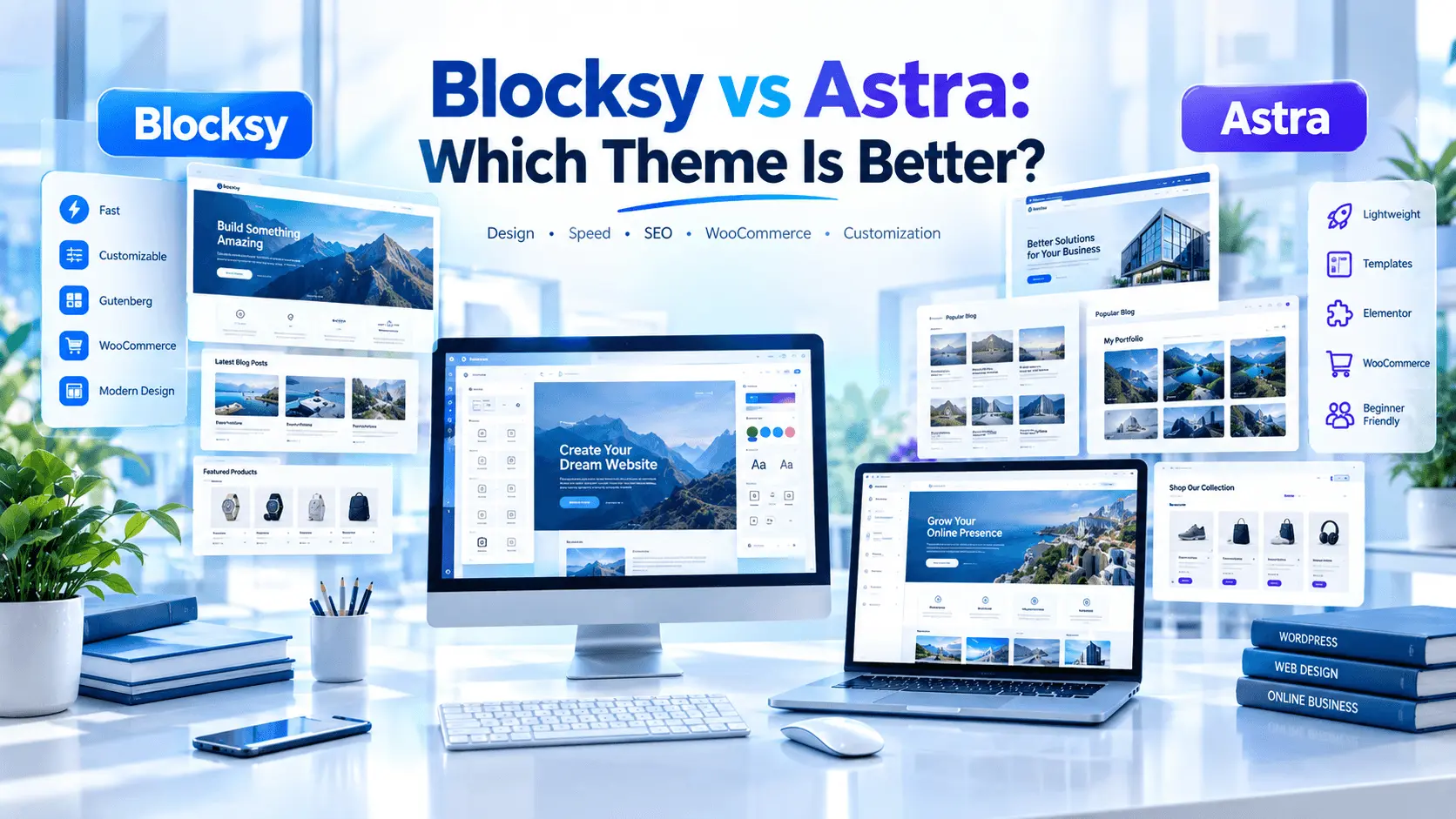

Blocksy vs Astra: Which Theme Is Better? Compare speed, design, SEO, WooCommerce, Elementor, features, pricing and ease of use before choosing.
Blocksy and Astra are two of the most popular lightweight WordPress themes. But which one is actually better? This detailed comparison examines performance, customization, SEO, WooCommerce, Elementor compatibility, pricing, templates, and real-world use cases to help you choose the right WordPress theme.
Blocksy and Astra are both excellent lightweight WordPress themes, but the better choice depends on your website. Blocksy is particularly attractive for advanced customization, modern layouts and WooCommerce. Astra is stronger for beginners who want a huge template ecosystem, Elementor compatibility and a mature WordPress ecosystem. For most users, either theme can produce a fast, SEO-friendly website.
Table of Contents
ToggleIntroduction
Choosing a WordPress theme can feel surprisingly difficult. There are thousands of themes available, and many of them promise speed, SEO optimization, beautiful designs and easy customization.
Two names repeatedly appear near the top of the conversation: Blocksy and Astra.
So, Blocksy vs Astra: Which Theme Is Better?
The honest answer is that neither theme is automatically the best for every website.
Both are lightweight, responsive WordPress themes designed to work with modern WordPress workflows. Astra has a much larger installed base, while Blocksy has built a strong reputation for customization and WooCommerce-focused features.
Astra currently has more than one million active installations listed on WordPress.org, while Blocksy has more than 300,000. Both themes continue to receive updates.
That means the real question isn’t simply which theme has more users.
The better question is:
Which theme fits the way you want to build, customize and grow your website?
In this guide, we’ll compare Blocksy and Astra across performance, design, SEO, WooCommerce, Elementor, Gutenberg, templates, pricing, beginner-friendliness and business use cases.
By the end, you’ll have a much clearer idea of which theme makes sense for your WordPress website.
Blocksy vs Astra: Which Theme Is Better?
Before looking at individual features, let’s establish one important point.
Both themes are capable of producing excellent websites.
A theme alone doesn’t determine whether your website will be fast.
Your hosting provider, plugins, images, fonts, JavaScript, caching configuration, CDN and content structure can have a major effect on the final result.
Therefore, when comparing Blocksy vs Astra, it is better to think about the overall website-building experience, rather than simply asking which theme has the fastest benchmark score.
Blocksy vs Astra at a Glance
| Feature | Blocksy | Astra |
|---|---|---|
| Free version | Excellent | Excellent |
| Performance focus | Excellent | Excellent |
| Gutenberg | Excellent | Excellent |
| Elementor | Excellent | Excellent |
| WooCommerce | Excellent | Excellent |
| Header builder | Excellent | Excellent |
| Starter templates | Good | Excellent |
| Customization | Excellent | Excellent |
| Beginner friendly | Very good | Excellent |
| Developer flexibility | Excellent | Excellent |
| Ecosystem | Growing | Very large |
| Active installations | 300K+ | 1M+ |
| Best for | Design + WooCommerce | Templates + ecosystem |
| Overall | 9.3/10 | 9.4/10 |
These ratings are editorial assessments rather than laboratory benchmarks.
What Is Astra?
Astra is a long-established WordPress theme developed by Brainstorm Force.
It has become one of the most widely used WordPress themes, with more than one million active installations listed in the WordPress.org directory.
Astra is designed to work with several WordPress building methods, including the block editor and popular page builders such as Elementor and Beaver Builder.
Its ecosystem is one of its biggest strengths.
Astra users can combine the theme with tools such as Spectra, starter templates and other products from the Brainstorm Force ecosystem.
The free theme is available through WordPress.org, while Astra Pro adds additional customization and advanced functionality.
Astra’s biggest strengths
- Huge user base
- Mature ecosystem
- Large starter-template library
- Strong Elementor compatibility
- Excellent WooCommerce support
- Extensive customization
- Strong documentation
- Good choice for agencies
- Strong beginner experience
- Long-term development history
Astra’s official documentation describes the free version as a complete foundation, while Astra Pro adds advanced features.
What Is Blocksy?
Blocksy is a newer-generation WordPress theme created by Creative Themes.
It focuses heavily on modern customization, performance, Gutenberg integration and WooCommerce.
The WordPress.org directory describes Blocksy as a fast, modern theme with advanced WooCommerce support and full compatibility with the block editor.
Blocksy also provides an advanced header builder, global color controls, typography options and a highly customizable layout system.
One of Blocksy’s biggest advantages is how much control it provides without requiring custom CSS for many common design changes.
Blocksy’s biggest strengths
- Modern interface
- Excellent header builder
- Strong Gutenberg integration
- Excellent WooCommerce functionality
- Flexible customization
- Global color palettes
- Advanced typography controls
- Responsive design controls
- Modern starter sites
- Strong free version
Blocksy’s official documentation also emphasizes live customization through the WordPress Customizer.
Blocksy vs Astra: Performance
Performance is one of the biggest reasons people compare these two themes.
Both Blocksy and Astra are designed to be lightweight.
However, saying one is always faster would be misleading.
A real WordPress website’s performance depends on much more than its theme.
Important performance factors include:
- Hosting quality
- Server response time
- Number of plugins
- Image optimization
- Font loading
- JavaScript
- CSS
- Caching
- CDN configuration
- Database optimization
- Third-party scripts
- Page-builder usage
For example, an aggressively optimized Astra website can be considerably faster than a poorly configured Blocksy website.
The reverse can also happen.
Which is better for speed?
Verdict: Tie
Both are excellent choices.
Blocksy has a strong performance-oriented design philosophy, while Astra has years of optimization work and a huge ecosystem.
For a real website, your hosting configuration may matter more than the small difference between the themes.
If you are building a serious business website, invest in quality hosting before obsessing over tiny theme benchmark differences.
Blocksy vs Astra: Design and Customization
This is where the comparison becomes more interesting.
Both themes give you extensive control over colors, typography, spacing, layouts and headers.
However, their interfaces and philosophies are somewhat different.
Blocksy customization
Blocksy provides:
- Global color palettes
- Typography controls
- Header builder
- Footer builder
- Layout controls
- Sidebar settings
- Page-level controls
- Responsive controls
- Dark mode functionality
- WooCommerce customization
The theme is particularly attractive if you enjoy designing the website yourself.
Astra customization
Astra also offers:
- Global colors
- Typography
- Header and footer controls
- Layout settings
- Sidebar controls
- WooCommerce options
- Page-builder integration
- Starter templates
- Advanced Pro modules
Astra’s ecosystem can make it easier to find a predefined starting point instead of building everything from scratch.
Design winner
Blocksy wins for granular modern customization.
Astra wins for ecosystem and ready-made starting points.
Header and Footer Builders
A good header builder can save hours of WordPress development work.
Blocksy has a particularly strong header builder.
Its system allows users to arrange header elements visually across different rows and responsive layouts.
Blocksy Pro also adds advanced features such as multiple conditional headers.
That can be useful when you want different headers for:
- Landing pages
- Blog sections
- WooCommerce pages
- Logged-in users
- Special campaigns
- Different content types
Astra also has a strong header/footer builder and advanced customization through Astra Pro.
Winner: Blocksy
For users who specifically care about header customization, Blocksy has an advantage.
Blocksy vs Astra for Elementor
If you use Elementor, both themes are strong options.
Astra has a particularly mature relationship with Elementor because both have been widely used together for years.
This makes Astra a popular choice for:
- Agency websites
- Small business sites
- Landing pages
- Service websites
- Portfolio sites
- Affiliate sites
Blocksy also supports Elementor and works well with page builders.
Blocksy’s strength is that you don’t have to depend entirely on a page builder to achieve a sophisticated layout.
Elementor verdict
Winner: Astra, narrowly
If Elementor is central to your workflow, Astra is the safer ecosystem choice.
If you use Elementor occasionally but prefer native WordPress customization, Blocksy is an excellent alternative.
Blocksy vs Astra for Gutenberg
The WordPress block editor has become much more capable.
If you’re trying to keep your website relatively lightweight, Gutenberg can be an excellent alternative to building every page with a large page builder.
Blocksy is particularly attractive here because it was designed around modern WordPress workflows and provides strong block-editor integration.
Astra is also highly compatible with Gutenberg and has its own broader ecosystem around Spectra.
Gutenberg verdict
Winner: Blocksy for native theme experience.
Winner: Astra if you want Gutenberg plus the wider Spectra ecosystem.
Blocksy vs Astra for WooCommerce
This is one of the most important sections of this comparison.
If you’re building an online store, the theme should make it easier to create a useful shopping experience.
Blocksy has invested heavily in WooCommerce customization.
Its Pro features include functionality around areas such as:
- Product layouts
- Quick view
- Floating cart
- Off-canvas cart
- Product filters
- Wishlist
- Product comparison
- Variation swatches
- Product galleries
- Advanced product layouts
Blocksy’s documentation specifically highlights extensive WooCommerce customization.
Astra also has strong WooCommerce support and a large ecosystem of compatible plugins and templates.
WooCommerce verdict
Winner: Blocksy
If your main priority is theme-level WooCommerce customization, Blocksy has a particularly strong advantage.
Astra remains an excellent choice if your store depends heavily on the wider Brainstorm Force ecosystem and third-party conversion tools.
SEO Features
Neither theme should be selected simply because it says “SEO optimized.”
Modern SEO is much bigger than theme selection.
Your website needs:
- Useful content
- Good site architecture
- Crawlable pages
- Fast performance
- Mobile usability
- Descriptive titles
- Proper headings
- Optimized images
- Internal links
- Structured data where appropriate
- Secure HTTPS
- Good user experience
Both Blocksy and Astra are suitable foundations for SEO-focused WordPress websites.
Astra emphasizes clean code, mobile-first design and schema support, while Blocksy also provides a performance-focused modern architecture.
SEO verdict
Tie
Your content strategy and technical setup will usually matter more than the difference between these two themes.
For official SEO guidance, refer to Google’s Search documentation.
Starter Templates
This is an area where Astra has a clear advantage.
Astra has built a very large starter-template ecosystem.
That can be extremely useful for beginners.
Instead of starting with a blank website, you can choose a template for:
- Business
- Restaurant
- Portfolio
- Agency
- Blog
- Coaching
- Ecommerce
- Freelancer
- Online store
- Services
Blocksy also offers starter sites, but Astra’s ecosystem is broader.
Winner: Astra
If your main goal is:
“I want my website online quickly.”
Astra is difficult to beat.
Free Version: Blocksy vs Astra
Both themes have strong free versions.
Blocksy Free
Blocksy’s free version provides substantial customization, including:
- Header builder
- Footer controls
- Global colors
- Typography
- Layout controls
- Responsive controls
- WooCommerce basics
- Gutenberg integration
- Dark mode options
Astra Free
Astra Free provides:
- Core customization
- Header/footer controls
- Typography
- Colors
- Layout options
- WooCommerce compatibility
- Starter templates through its ecosystem
- Page-builder compatibility
Free version winner
Tie
Choose Blocksy if you want more design controls directly inside the theme.
Choose Astra if you value the ecosystem and templates.
Pro Version Comparison
| Feature | Blocksy Pro | Astra Pro |
|---|---|---|
| Advanced headers | Yes | Yes |
| Advanced footer | Yes | Yes |
| Custom layouts | Yes | Yes |
| WooCommerce enhancements | Excellent | Excellent |
| Custom fonts | Yes | Yes |
| Advanced menus | Yes | Yes |
| Conditional layouts | Strong | Strong |
| Starter ecosystem | Good | Excellent |
| Page-builder ecosystem | Strong | Excellent |
| Agency features | Yes | Yes |
Blocksy Pro currently lists Personal, Business and Agency plans, with production activations of 1, 10 and unlimited sites respectively. Its current listed pricing starts at $69/year for Personal, with higher tiers available.
Astra’s current pricing structure includes Astra Pro and broader toolkit bundles, with pricing and introductory offers varying by plan and billing option. The official pricing page currently lists Astra Pro as a separate product and also offers larger toolkits.
Because pricing can change, check the official pricing page before purchasing.
Pricing and Value
Price is not just about the number displayed on the checkout page.
You should consider:
- How many websites you need to build.
- Whether you need Pro features.
- Whether you need starter templates.
- Whether you use Elementor.
- Whether you build WooCommerce stores.
- Whether you’re an agency.
- Whether you prefer annual or lifetime licensing.
Blocksy
Blocksy can be attractive if you want advanced theme functionality, especially for WooCommerce and custom headers.
Astra
Astra becomes particularly attractive when you value its larger ecosystem of templates and companion tools.
Value winner
Blocksy for theme-focused customization.
Astra for ecosystem value.
Pros and Cons of Blocksy
Pros
- Excellent customization
- Modern interface
- Strong header builder
- Excellent WooCommerce support
- Strong Gutenberg experience
- Good performance foundation
- Powerful free version
- Excellent responsive controls
- Modern design system
Cons
- Smaller ecosystem than Astra
- Fewer starter templates
- Some advanced features require Pro
- New users may need time to understand all options
Pros and Cons of Astra
Pros
- Huge user base
- Mature ecosystem
- Excellent starter templates
- Strong Elementor compatibility
- Good WooCommerce support
- Beginner-friendly
- Strong documentation
- Large community
- Excellent agency use cases
Cons
- Some advanced features require additional products
- The broader ecosystem can feel complicated
- Users may need several companion plugins depending on their workflow
Which Theme Is Better for Beginners?
If you’re completely new to WordPress, Astra has a slight advantage.
Why?
Because the starter-template ecosystem can dramatically reduce the amount of design work you need to do.
A beginner can choose a template, replace the demo content and start publishing.
However, Blocksy is not difficult to learn.
If you want to understand WordPress customization rather than simply import a website, Blocksy can be an excellent learning platform.
Beginner recommendation
Astra: 9.5/10
Blocksy: 9.2/10
Which Theme Is Better for Bloggers?
For a blog, both themes are excellent.
Your priorities should be:
- Clean typography
- Fast loading
- Good mobile layout
- Readable content
- Good navigation
- Related posts
- Search
- Categories
- Internal linking
- SEO-friendly structure
Blocksy can be particularly attractive for content-focused sites because of its modern layout controls.
Astra is equally capable and has a huge number of blog starter designs.
Blogger recommendation
Blocksy: 9.4/10
Astra: 9.4/10
It’s effectively a tie.
Which Theme Is Better for Business Websites?
For a business website, Astra has a small advantage because of its mature ecosystem and extensive templates.
A local business can quickly create:
- Homepage
- About page
- Services
- Contact page
- Testimonials
- Portfolio
- Blog
Blocksy is also excellent if you want a more customized visual identity.
Business recommendation
Astra
Which Theme Is Better for WooCommerce?
For WooCommerce, I’d choose Blocksy if the theme itself needs to provide extensive store customization.
Its WooCommerce feature set is one of its strongest selling points.
WooCommerce recommendation
Blocksy
Which Theme Is Better for Developers?
Developers may prefer either depending on the workflow.
Blocksy is attractive for developers who want granular theme controls and modern WordPress architecture.
Astra has a huge ecosystem, broad documentation and extensive adoption, which can make it easier to find solutions.
Developer recommendation
Blocksy for customization.
Astra for ecosystem maturity.
Real-World Use Cases
Use Case 1: Affiliate Blog
Suppose you’re creating an affiliate website about web hosting.
You need:
- Fast pages
- Comparison tables
- Product reviews
- CTA buttons
- Blog posts
- SEO
- Mobile responsiveness
Either theme works.
For a highly customized editorial design, I’d lean toward Blocksy.
For quickly launching from a starter template, I’d lean toward Astra.
Use Case 2: Local Business
Imagine a plumber, restaurant, consultant or construction company.
The owner probably doesn’t want to spend weeks designing a website.
Astra’s starter templates make it an excellent option.
Recommendation
Astra
Use Case 3: WooCommerce Store
Imagine a clothing store with hundreds of products.
The store needs:
- Product filtering
- Product variations
- Cart optimization
- Mobile shopping
- Product galleries
- Conversion-focused layouts
Blocksy becomes particularly attractive.
Recommendation
Blocksy
Use Case 4: Agency
An agency building 20–50 websites needs:
- Reusable designs
- Templates
- Custom layouts
- Flexible licensing
- Reliable documentation
- Client-friendly controls
Both themes are strong.
Astra’s broader ecosystem can be extremely useful for agencies.
Blocksy’s agency licensing can also be attractive for developers who prefer its workflow.
Recommendation
Astra for ecosystem breadth; Blocksy for design control.
Hosting Matters More Than Many Beginners Realize
You can have an excellent theme and still have a slow website if your hosting is poor.
If you’re starting a new WordPress website, choose hosting that offers:
- SSD/NVMe storage
- Good server response times
- SSL
- Backups
- WordPress optimization
- Reliable uptime
- CDN compatibility
- Good support
For QYUSE readers, hosting choices should depend on the website rather than affiliate commission.
Hostinger
A good option for beginners and smaller websites.
Bluehost
A popular choice for beginners who want a straightforward WordPress hosting setup.
Namecheap
Particularly useful when your main requirement is domain registration and related services.
InMotion Hosting
Worth considering for users who need a more business-oriented hosting option.
Hosting Comparison Table
Important: Hosting prices and included resources change frequently by promotion, billing term and region. Verify the provider’s current checkout price before publishing a numerical price as permanent information.
| Provider | Starting Price* | Performance | Storage | Free Domain | SSL | Support | Best For | QYUSE Rating |
|---|---|---|---|---|---|---|---|---|
| Namecheap | Varies | Good | Varies | Selected plans | Yes on eligible plans | Good | Domains & beginners | 8.5/10 |
| Hostinger | Varies | Very Good | Varies | Selected plans | Yes | Good | Beginners & blogs | 9.1/10 |
| Bluehost | Varies | Very Good | Varies | Selected plans | Yes | Good | WordPress beginners | 9.0/10 |
| WebHostingHub | Varies | Good | Varies | Plan dependent | Plan dependent | Good | Budget users | 8.0/10 |
| InMotion Hosting | Varies | Very Good | Varies | Plan dependent | Yes | Very Good | Business websites |
Common Mistakes When Choosing Between Blocksy and Astra
Mistake 1: Choosing based only on speed tests
A theme benchmark is not your real website.
Always test your own website after adding:
- Plugins
- Images
- Fonts
- Analytics
- Ads
- Forms
- WooCommerce
Mistake 2: Installing too many plugins
A fast theme can become slow when overloaded with unnecessary plugins.
Install only what your website actually needs.
Mistake 3: Using Elementor for everything
Elementor is powerful, but not every page needs a visual page builder.
For simple blog posts, Gutenberg can often be enough.
Mistake 4: Ignoring hosting
Your hosting environment can significantly affect server response time.
A premium theme on weak hosting is still a weak combination.
Mistake 5: Choosing a theme because everyone else uses it
Popularity matters, but your workflow matters more.
Astra’s larger user base doesn’t automatically mean it is better for your particular website.
Likewise, Blocksy’s modern feature set doesn’t automatically make it the best option for everyone.
Expert Tips
Tip 1: Build a test website first
Install both themes on a staging website.
Create the same homepage using both.
Then compare:
- Design
- Editing experience
- Page speed
- Mobile layout
- Header
- Footer
- Blog layout
This is more useful than reading dozens of generic comparisons.
Tip 2: Keep the design simple
Your visitors don’t care how many theme settings you have.
They care about:
- Finding information
- Reading content
- Trust
- Navigation
- Speed
- Mobile usability
Tip 3: Don’t change themes unnecessarily
Changing themes later can require redesigning templates and adjusting layouts.
Choose a theme you can comfortably use for several years.
🎥 Blocksy vs Astra: Which Theme Is Better?
Want to see how these two popular WordPress themes compare in practice? Watch this detailed comparison of Blocksy vs Astra: Which Theme Is Better? to see differences in performance, features, customization, WooCommerce, support and pricing.
10 Frequently Asked Questions
1. Is Blocksy better than Astra?
Not for every website. Blocksy is particularly strong for customization and WooCommerce, while Astra has a larger ecosystem, more starter templates and a very mature Elementor workflow.
2. Is Astra faster than Blocksy?
Both are lightweight themes. Real-world performance depends on hosting, plugins, images, scripts, caching and website configuration. There is no universal winner for every installation.
3. Is Blocksy good for SEO?
Yes. Blocksy can provide an excellent foundation for an SEO-focused WordPress website. However, your content, technical SEO, internal linking, performance and site architecture remain essential.
4. Is Astra good for SEO?
Yes. Astra is designed as a lightweight WordPress theme and is widely used for SEO-focused websites.
5. Which is better for WooCommerce, Blocksy or Astra?
Blocksy has a particularly strong advantage in theme-level WooCommerce customization. Astra is also excellent and benefits from its larger ecosystem.
6. Which theme is better for Elementor?
Astra has a slight advantage if Elementor is central to your workflow because of its mature ecosystem and compatibility. Blocksy also works well with Elementor.
7. Which theme is better for beginners?
Astra is slightly easier for beginners who want to start from a large selection of ready-made templates. Blocksy is also beginner-friendly once its customization system is understood.
8. Is Blocksy free?
Yes. Blocksy is available as a free WordPress theme, with additional Pro functionality available through paid plans.
9. Is Astra free?
Yes. Astra has a free version available through WordPress.org. Astra Pro adds advanced functionality.
10. Should I use Blocksy or Astra for an affiliate website?
Both are suitable. If you want a highly customized editorial design, Blocksy is an excellent option. If you want a fast launch using starter templates and a mature ecosystem, Astra may be the better choice.
Final Verdict: Blocksy vs Astra — Which Theme Is Better?
So, after comparing performance, design, customization, WooCommerce, Elementor, Gutenberg, SEO, templates, pricing and usability, which theme should you choose?
The answer depends on your priorities.
Choose Blocksy if:
- You want advanced customization.
- You prefer a modern interface.
- You use Gutenberg.
- You’re building a WooCommerce store.
- You want powerful header controls.
- You want more theme-level design flexibility.
- You enjoy creating a custom website design.
Choose Astra if:
- You’re a complete beginner.
- You want many starter templates.
- You use Elementor heavily.
- You want a huge ecosystem.
- You’re building websites for clients.
- You want a mature and widely adopted theme.
- You want an easy starting point.
My overall recommendation
For most beginners: Astra
For WooCommerce: Blocksy
For advanced customization: Blocksy
For Elementor-focused websites: Astra
For agencies: Astra
For Gutenberg-focused sites: Blocksy
For bloggers: Tie
For SEO: Tie
For performance: Tie
There is no reason to switch from a perfectly optimized Astra website to Blocksy simply because another comparison says Blocksy is faster.
Likewise, you shouldn’t avoid Blocksy because Astra has more active installations.
The better theme is the one that helps you create a fast, usable, maintainable website with the least unnecessary complexity.