
Learn how to choose the perfect domain name with 11 practical tips for branding, SEO, trust, memorability, extensions, and long-term business growth.
Choosing a domain name is one of the first major decisions you make when building a website. Learn how to choose the perfect domain name that is memorable, brandable, trustworthy, SEO-friendly, and ready to grow with your business.
Table of Contents
ToggleHow do you choose the perfect domain name?
To choose the perfect domain name, make it short, memorable, easy to spell, brandable, and relevant to your website. Prefer a trustworthy extension such as .com when practical, avoid confusing numbers and hyphens, check trademarks, verify social availability, and choose a registrar with strong privacy and DNS management.
Introduction
Your domain name is more than a web address.
It is often the first thing a potential customer sees before visiting your website, reading your content, or buying your product. A good domain can make your brand easier to remember. A poor one can create confusion, spelling mistakes, lost visitors, and branding problems for years.
That is why learning How to Choose the Perfect Domain Name is worth doing before you click the “Register” button.
Whether you’re launching a WordPress blog, an online store, a personal portfolio, an affiliate website, a SaaS project, or a local business, your domain becomes part of your digital identity.
The good news is that you don’t need to be a branding expert to make a smart decision.
You simply need a repeatable process.
In this guide, QYUSE walks you through that process—from brainstorming and evaluating domain ideas to checking extensions, trademarks, social media availability, privacy, hosting, and long-term brand potential.
What Is a Domain Name?
A domain name is the human-readable address people use to reach a website.
For example:
qyuse.com
Instead of remembering a numerical IP address, visitors can type a recognizable name into their browser.
A domain normally contains two important parts:
Domain name: QYUSE
Extension: .com
Together:
qyuse.com
Your domain connects your brand with your website infrastructure. The domain itself is not the same thing as hosting.
A simple way to understand it is:
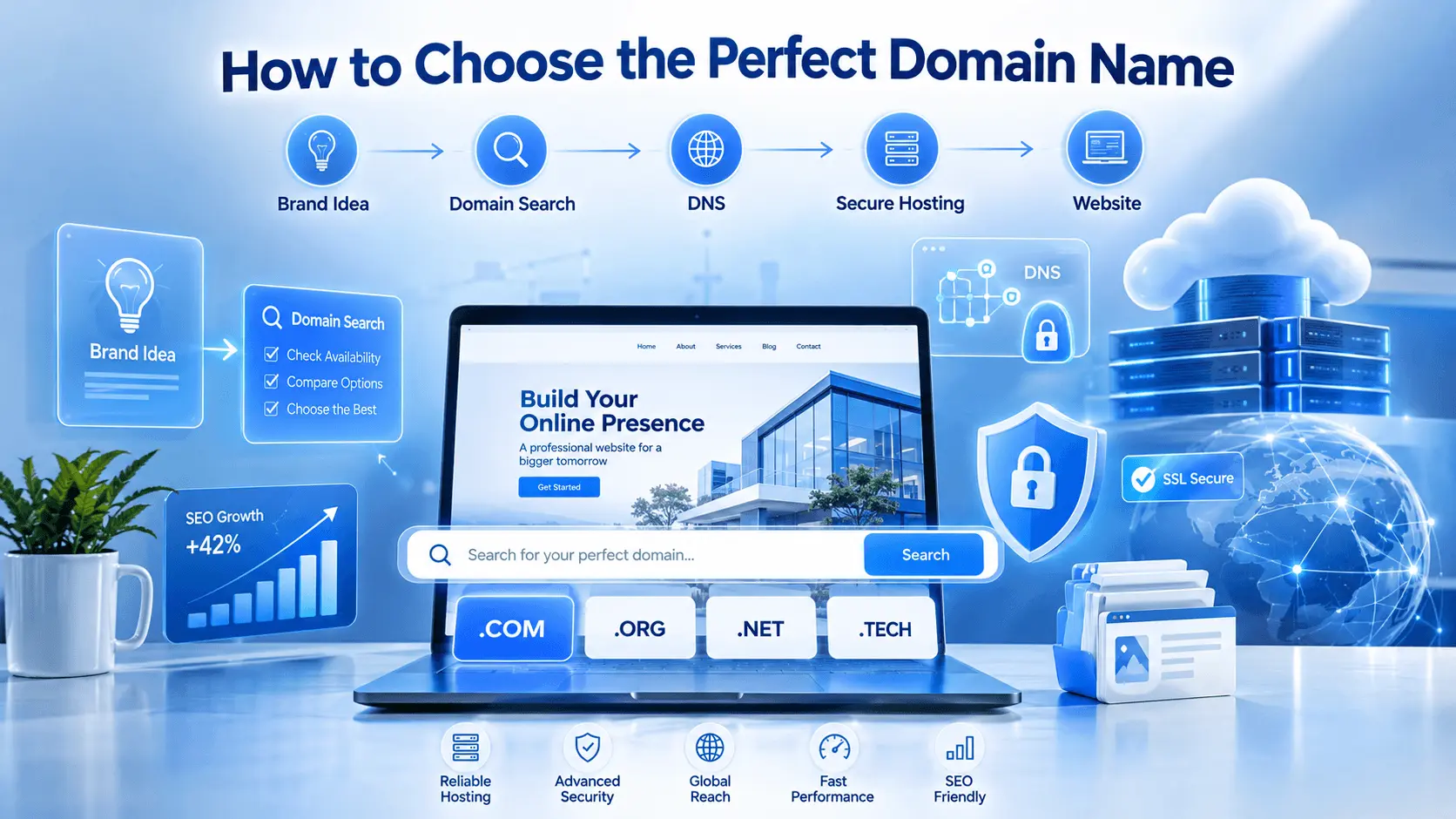
- Domain = your website’s address
- Hosting = the server where your website lives
- DNS = the system that connects the address to the server
- SSL/TLS = encryption that protects the connection
WordPress itself recommends HTTPS and modern server requirements for WordPress installations.
Why Choosing the Right Domain Name Matters
A domain can influence your:
- Brand recognition
- Credibility
- Memorability
- Marketing
- Email addresses
- Offline advertising
- Social media branding
- Customer trust
- Long-term business identity
Imagine hearing two business names:
GreenTechSolutionsOnline24.com
versus
GreenTech.com
The second is easier to say, type, remember, and print on a business card.
Of course, short domains are often difficult to find because many desirable names have already been registered.
That is why the goal isn’t necessarily to find the shortest domain.
The goal is to find the best combination of:
clarity + memorability + brandability + availability + legal safety + future flexibility.
How to Choose the Perfect Domain Name
The following 11-step process can help you evaluate almost any domain idea.
1. Start With Your Brand
Before searching for domains, define what your website represents.
Ask:
- What is the business called?
- Who is the audience?
- What problem does the business solve?
- What products or services will it offer?
- Could the business expand later?
- What impression should the brand create?
For example, imagine you are creating a technology publication.
A domain like:
TechDaily.com
could work well if available.
But a highly restrictive name such as:
BestAndroidPhoneReviews2026.com
may become a problem if you later want to cover laptops, AI, cybersecurity, or web hosting.
Think beyond today’s content
One of the biggest domain mistakes is choosing a name based only on the first article, product, or service.
Your business may change.
Your domain should give you room to change with it.
2. Keep Your Domain Short and Simple
Short domains are generally easier to communicate.
Compare:
modernweb.com
with:
thebestmodernwebsitedesigncompanyonline.com
The first is significantly easier to remember.
However, don’t sacrifice clarity just to remove a few characters.
A slightly longer but understandable brand name can be better than an extremely short domain that nobody knows how to pronounce.
A useful rule
Try to remove:
- unnecessary words
- repeated words
- filler words
- complicated spelling
- excessive abbreviations
If someone hears your domain once, could they type it correctly?
If not, keep refining it.
3. Make It Easy to Spell and Remember
A good domain should survive a simple test:
Say it out loud.
Then ask another person to write it down.
If they repeatedly ask:
“How do you spell that?”
you may have a problem.
Avoid clever spellings that look attractive but are difficult to communicate.
For example, changing:
QuickMarket
into:
KwikMrkt
may look shorter, but it creates unnecessary friction.
Your domain should ideally be:
- Easy to pronounce
- Easy to type
- Easy to remember
- Easy to communicate
- Easy to recognize
This is particularly important for businesses that receive traffic from offline advertising, phone calls, podcasts, radio, events, or word-of-mouth recommendations.
4. Choose the Right Domain Extension
The extension is the part after the final dot.
Examples include:
- .com
- .org
- .net
- .co
- .io
- .shop
- .store
- .tech
- .online
- country-code extensions such as .uk or .bd
For many commercial projects, .com remains the default choice when an appropriate name is available.
But that does not mean every website must use .com.
Consider the purpose
| Website Type | Possible Extension |
|---|---|
| Business | .com |
| Personal project | .com / .me |
| Organization | .org |
| Technology | .com / .tech / .io |
| Online store | .com / .shop / .store |
| Country-focused business | Local ccTLD |
| Community | .org / .com |
The most important factor is not simply the extension.
It is whether the complete domain is credible, memorable, and appropriate for the audience.
5. Should You Use Keywords in Your Domain?
This is one of the most common SEO questions.
Suppose you are creating a website about web hosting.
Possible names might include:
HostingGuide.com
CloudHostLab.com
BestWebHostingReviews.com
A keyword can help communicate relevance to humans, but you should not force an exact-match keyword into your domain merely because you believe it will automatically improve rankings.
Google’s current Search guidance emphasizes helpful content and using language that users would actually use, rather than search-engine manipulation.
Brand-first is usually safer
Consider:
QYUSE.com
The name doesn’t literally contain “web hosting,” but the brand can build associations through its content, design, reputation, and topical coverage.
That gives the business room to expand.
My recommendation
Use a keyword in your domain when it naturally fits the brand.
Don’t create an awkward domain just to include a keyword.
6. Avoid Hyphens, Numbers, and Confusing Characters
Hyphens are not automatically bad.
However, they can make verbal communication harder.
Consider:
bestwebhosting.com
versus:
best-web-hosting.com
If you tell someone the second domain verbally, you have to explain:
“There is a hyphen between each word.”
That introduces friction.
Numbers create another problem.
For example:
webhosting4you.com
Could someone wonder whether it is:
webhosting4you.com
or
webhostingforyou.com?
If the answer is yes, consider another name.
Avoid unnecessary:
- Hyphens
- Multiple numbers
- Repeated letters
- Unusual abbreviations
- Confusing spellings
7. Check Trademarks Before Registering
This step is extremely important.
A domain can be available for registration and still create legal problems if it conflicts with an existing trademark.
Don’t assume:
“The registrar says it’s available, so I can safely use it.”
Domain availability and trademark clearance are different things.
Before committing to a commercial brand, search relevant trademark databases and perform broader web research.
Look for:
- Existing companies
- Registered trademarks
- Similar brands
- Competitors
- Social profiles
- Apps
- Products
- Geographic businesses
If the name is commercially important, consider professional legal advice.
8. Think About the Future
Imagine your website is successful five years from now.
Would the domain still make sense?
This question can eliminate many poor choices.
For example, suppose you launch:
DhakaLaptopDeals.com
Today, you sell laptops.
Tomorrow, you want to sell:
- smartphones
- monitors
- keyboards
- networking equipment
- accessories
- software
The original domain may now feel unnecessarily restrictive.
A broader brand such as:
DhakaTech.com
could potentially give you more flexibility.
Think in terms of expansion
Ask:
Could I still use this domain if my business doubles?
If the answer is no, reconsider it.
9. Check Social Media Availability
Your website isn’t the only place where your brand will appear.
Check whether the name is available or reasonably usable on:
- YouTube
- X
- TikTok
You don’t necessarily need an exact username everywhere.
But consistency helps.
For example:
BrandName.com
paired with:
@BrandName
is much easier to build into a recognizable identity.
10. Check the Domain’s History
A domain that was previously registered isn’t automatically bad.
But it deserves investigation.
An old domain may have:
- Existing backlinks
- Historical content
- Search visibility
- Spam associations
- Previous ownership
- Redirect history
- Copyright issues
- Malware history
Use reputable tools to investigate the domain before purchasing an expired or previously used name.
Be especially careful with:
- Expired domains
- Auction domains
- Domains with unusual backlink profiles
- Domains previously used for spam
- Domains with suspicious foreign-language pages
- Domains associated with scams
A cheap domain isn’t a bargain if its history becomes your problem.
11. Choose a Reliable Domain Registrar
Once you’ve found a strong name, you need a registrar.
A registrar lets you:
- Register your domain
- Manage DNS
- Renew the domain
- Transfer it
- Manage privacy settings
- Configure nameservers
- Enable security features
One option worth considering is Namecheap, particularly if you want domain registration and DNS management separated from your hosting account.
Namecheap currently advertises free domain privacy on eligible domains and provides DNS-related features including DNSSEC on eligible domains.
👉 Register Your Domain with Namecheap
Domain Registrar vs Web Host
This distinction is important for beginners.
A domain registrar manages your domain.
A web host provides the server infrastructure that stores and delivers your website.
You can buy both from the same company.
Or you can keep them separate.
Example
You could register:
example.com
with Namecheap.
Then host the website with:
Hostinger
or:
Bluehost
or:
InMotion Hosting
The domain can point to the hosting provider using DNS.
This separation can be useful because you’re not locked into one company for everything.
Should You Buy Hosting and Domain Together?
There is no universal answer.
Buying them together is often easier for beginners.
You get:
- One account
- One dashboard
- Simplified setup
- Easier DNS configuration
- Potential first-year domain promotions
For example, Bluehost currently advertises hosting plans with a free domain for the first year and free SSL, subject to plan and offer conditions.
Hostinger also currently bundles a free domain on eligible plans and includes SSL with its hosting offerings.
Best Hosting Options for Your New Website
Choosing a domain is only the first step.
After registration, you’ll need hosting if you want to publish a website.
The right host depends on your website type, expected traffic, budget, technical skills, and growth plans.
| Provider | Starting Price* | Performance | Storage | Free Domain | SSL | Support | Best For | Rating |
|---|---|---|---|---|---|---|---|---|
| Namecheap | Varies | Good | Plan dependent | Plan dependent | Yes on hosting | 24/7 | Domains + budget hosting | 4.3/5 |
| Hostinger | From about $2.99/mo on current long-term promotion | Very Good | 20GB+ depending plan | Eligible plans | Yes | 24/7 | Beginners & bloggers | 4.7/5 |
| Bluehost | From about $3.99/mo on current offer | Good–Very Good | Plan dependent | Yes, eligible plans | Yes | 24/7 | WordPress beginners | 4.6/5 |
| WebHostingHub | From about $5.99/mo | Good | Plan dependent | Plan dependent | Plan dependent | 24/7 | Traditional shared hosting | 3.7/5 |
| InMotion Hosting | From about $19.99/mo for currently displayed managed plans | Very Good | 100GB+ depending plan | Eligible plans | Yes | 24/7 | Business & growing sites | 4.5/5 |
*Promotional pricing varies by region, billing term, plan and campaign.
Hostinger currently lists hosting from $2.99/month on a long-term promotional offer, with eligible plans including a first-year domain, SSD/NVMe storage, backups, CDN and SSL.
Bluehost currently advertises a $3.99/month starting offer on its main site, including a free domain and free SSL, with terms applying.
InMotion’s current displayed pricing includes higher-tier managed hosting starting at $19.99/month, while its terms specify a free domain credit for eligible 12-, 24-, or 36-month plans.
WebHostingHub remains an active company in 2026 and currently states that its plans start at $5.99, although readers should carefully evaluate current service and support before purchasing.
Namecheap
Best for: Domain-first users
Namecheap is particularly logical when the primary task is registering and managing domains.
Its current .com page lists domain privacy as free for life on eligible domains, while pricing varies between introductory offers and regular renewals.
Pros
- Strong domain-management focus
- Domain privacy on eligible domains
- DNS management
- DNSSEC on eligible domains
- Hosting also available
- Useful for keeping domain and hosting separate
Cons
- Hosting may not be the first choice for every performance-sensitive project
- Renewal pricing can differ from introductory pricing
Best use case: Register your domain independently and connect it to your preferred host.
👉 Buy Your Domain at Namecheap
Hostinger
Best for: Beginners, bloggers and small businesses
Hostinger is attractive when you want domain, hosting, SSL, backups and website-building tools in one ecosystem.
Its current hosting plans advertise free domain eligibility, SSL, backups, CDN functionality and WordPress support.
Pros
- Beginner-friendly
- Competitive promotional pricing
- WordPress support
- CDN
- SSL
- Backups
- Modern storage options
- AI and website-building tools
Cons
- Promotional prices renew higher
- Cheapest plans have fewer resources
Bluehost
Best for: WordPress beginners
Bluehost is especially suitable for users who want a relatively straightforward path from:
Domain → Hosting → WordPress → Website
Its current plans include free SSL, eligible free domains, and 24/7 support. Bluehost also states that it supports WordPress installation and hosting.
Pros
- Beginner-friendly
- WordPress-focused options
- Free SSL
- Eligible free domain
- 24/7 support
- Simple setup
Cons
- Renewal pricing differs from introductory pricing
- Advanced users may eventually want more specialized infrastructure
InMotion Hosting
Best for: Businesses and growing websites
InMotion Hosting is worth considering when you need more resources or want a hosting environment aimed at business and growth.
Its current hosting pages advertise NVMe storage, SSL, malware protection, backups and 24/7 support on relevant plans.
Pros
- Strong business orientation
- NVMe storage on displayed plans
- Security features
- Backups
- 24/7 support
- Free domain credit on eligible plans
Cons
- Some current plans are considerably more expensive than entry-level shared hosting
- Beginners may not need the additional resources
WebHostingHub
Best for: Users specifically evaluating traditional shared hosting
WebHostingHub continues to operate and currently advertises hosting plans starting at $5.99.
However, third-party reviews show mixed recent customer experiences, so I would not place it ahead of Hostinger, Bluehost or InMotion for a new website without first comparing current support, resources and renewal terms.
Pros
- Established hosting company
- Shared hosting
- WordPress support
- 24/7 support
Cons
- Mixed recent third-party feedback
- Less compelling for a new buyer compared with several modern alternatives
| Website Type | Recommended Option | Why |
|---|---|---|
| Beginner | Hostinger | Simple setup and broad feature set |
| WordPress | Bluehost | Beginner-friendly WordPress ecosystem |
| WooCommerce | Bluehost / Hostinger / InMotion | Depends on store size and resources |
| Business | InMotion Hosting | Business-oriented resources and support |
| Blogger | Hostinger | Strong value for smaller sites |
| Developer | InMotion Hosting / Hostinger | More flexibility and modern tooling |
| Domain-only | Namecheap | Domain-first management |
| Traditional shared hosting | WebHostingHub | Worth comparing if specifically preferred |
These are use-case recommendations, not claims that one provider is universally the fastest or best.
What About SSL?
Once your domain and hosting are ready, your next priority should be HTTPS.
SSL/TLS encrypts the connection between the visitor and website.
Many hosts now provide SSL at no additional cost.
Hostinger currently advertises free SSL with its hosting plans, while Bluehost says its hosting plans include free SSL.
For websites that need a paid certificate with additional validation or specialized coverage, a commercial SSL product may still be appropriate.
You can also learn about free certificates directly from Let’s Encrypt.
| Better Approach | Riskier Approach | Why |
|---|---|---|
| GreenMarket.com | GreenMarketOnlineStore123.com | Too long |
| TechNest.com | Tech-Nest-Online.com | Hyphens |
| BrightHomes.com | BrightHomes4U.com | Number ambiguity |
| CloudForge.com | BestCheapCloudHostingProvider.com | Too restrictive |
| FreshCart.com | Fresh-Cart-2026.com | Harder to communicate |
These examples are illustrative. Always check availability, trademarks, and existing businesses before using a name commercially.
Real Use Cases
Example 1: Personal Blog
Suppose your name is Rahim and you want to blog about technology.
Possible ideas:
- RahimTech.com
- TechWithRahim.com
- RahimDigital.com
If you later expand into WordPress, AI, cybersecurity and business software, RahimDigital.com may offer more flexibility than a very narrow name.
Example 2: Local Business
Imagine a bakery serving customers in Dhaka.
Possible names:
- DhakaBake.com
- SweetDhaka.com
- DhakaBakery.com
The best choice depends on branding, availability, trademark concerns and future expansion.
Example 3: Affiliate Website
Suppose you want to build a website reviewing hosting providers.
Instead of:
BestCheapWebHostingProviders2026.com
consider a brandable name that could survive beyond one year and support broader topics such as:
- WordPress
- Domains
- Security
- Website speed
- AI tools
- Hosting
That is a better long-term content strategy.
Common Domain Name Mistakes
Mistake 1: Choosing a name too quickly
A domain may be inexpensive, but changing your brand later can be expensive.
Mistake 2: Selecting a name only for SEO
Don’t sacrifice branding because you think an exact-match keyword guarantees rankings.
It doesn’t.
Mistake 3: Ignoring renewal costs
A cheap first-year registration doesn’t necessarily mean cheap long-term ownership.
Always check:
Registration price → Renewal price → Transfer price
Namecheap, for example, currently displays separate registration, renewal and transfer pricing for .com domains.
Mistake 4: Forgetting trademarks
Domain availability is not trademark clearance.
Mistake 5: Using complicated spelling
If customers can’t spell it, you’ll spend years correcting them.
Mistake 6: Ignoring domain privacy
Privacy protection can reduce exposure of personal registration information where the TLD and registrar support it.
Mistake 7: Forgetting auto-renewal
Losing a valuable domain because you forgot to renew it can be disastrous.
Enable automatic renewal where appropriate and keep your payment information current.
Expert Domain Selection Checklist
Before registering, ask:
Brand
- Does it sound like a real brand?
- Is it memorable?
- Does it match my business?
Usability
- Can people spell it?
- Can people pronounce it?
- Can they type it easily?
SEO
- Is it relevant?
- Does it avoid unnecessary keyword stuffing?
- Does it support my future content strategy?
Legal
- Did I search trademarks?
- Did I check competing businesses?
- Is the name safe for commercial use?
Future
- Can my business expand?
- Will the name still make sense in five years?
Technical
- Is the domain available?
- Is privacy supported?
- Can I manage DNS?
- Can I transfer the domain later?
If you can answer “yes” to most of these questions, you’re probably on the right track.
How to Choose the Perfect Domain Name: 11 Mistakes to Avoid
Frequently Asked Questions
1. What makes a good domain name?
A good domain name is memorable, easy to spell, easy to pronounce, brandable, legally safe, and appropriate for your website’s long-term purpose. It should also be easy to communicate verbally and work well across your marketing channels.
2. Is .com still the best domain extension?
For many businesses and general websites, .com remains a strong default because it is familiar and widely recognized. However, other extensions can work well when they naturally fit the brand, industry, organization or geographic market.
3. Should my domain name contain my keyword?
It can, but it doesn’t have to. A relevant keyword can communicate what your site is about, but a strong brand is often more flexible. Avoid creating an awkward domain solely to insert keywords.
4. How long should a domain name be?
There is no universal character limit that makes a domain “good.” In practice, shorter and simpler domains are often easier to remember and communicate. Focus on clarity rather than obsessing over a specific number of characters.
5. Should I use hyphens in my domain?
Usually, avoid them when you have a good non-hyphenated alternative. Hyphens can make domains harder to communicate verbally and easier to mistype.
6. Should I use numbers in my domain?
Avoid numbers unless they are genuinely part of your brand. Numbers can create ambiguity because visitors may not know whether a number should be written numerically or spelled out.
7. Where should I buy my domain?
Choose a reputable registrar that provides reliable DNS management, reasonable renewal pricing, security features, privacy options where available, and straightforward domain transfers. Namecheap is one option worth considering for domain-first management.
👉 Register Your Domain with Namecheap
8. Can I buy my domain and hosting from different companies?
Yes.
You can register your domain with one company and host your website with another. DNS/nameserver settings connect the domain to your hosting account.
This can give you greater flexibility when changing hosts later.
9. Should I buy hosting before my domain?
Not necessarily.
You can buy the domain first and select hosting afterward. Alternatively, some hosting providers bundle a first-year domain with eligible hosting plans.
Hostinger and Bluehost currently advertise eligible free-domain offers with hosting plans.
10. Does a domain name directly improve Google rankings?
A domain name alone does not guarantee higher rankings.
Google’s current guidance emphasizes useful, reliable, people-first content and overall search quality rather than manipulating rankings through domain keywords.
A strong domain can improve branding and user recognition, but your website still needs valuable content, technical quality, good UX and credibility.
Related Articles (QYUSE):
- Bluehost vs Hostinger: Which Is Better?
- Types of Web Hosting
- How Does Website Hosting Work?
- Best Cheap Hosting Under $5/Month
- Web Hosting Namecheap vs Hostinger: Domain & Hosting Comparison?
- Shared Hosting vs VPS Hosting Explained
- How to Choose the Right Hosting for Your Website
- Difference Between Domain and Hosting
- How to Create a WordPress Website
- Best Managed Cloud Hosting
- Best Hosting for E-commerce Website
- Cheapest NVMe SSD Hosting
- Web Hosting Price Comparison
- Best Developer Friendly VPS Hosting
- Website Speed Optimization Guide
- WordPress Security Guide
- Optimized Elementor Website Hosting
Recommended External Resources
WordPress requirements
Useful for explaining current WordPress hosting requirements.
Google Search Central
Google Search Central — Helpful Content Guidance
Useful for explaining people-first content and E-E-A-T principles.
Google Search Essentials
Useful for discussing SEO fundamentals.
Let’s Encrypt
Useful when discussing SSL/TLS certificates.
web.dev
Useful for linking readers to Google’s web performance and development resources.